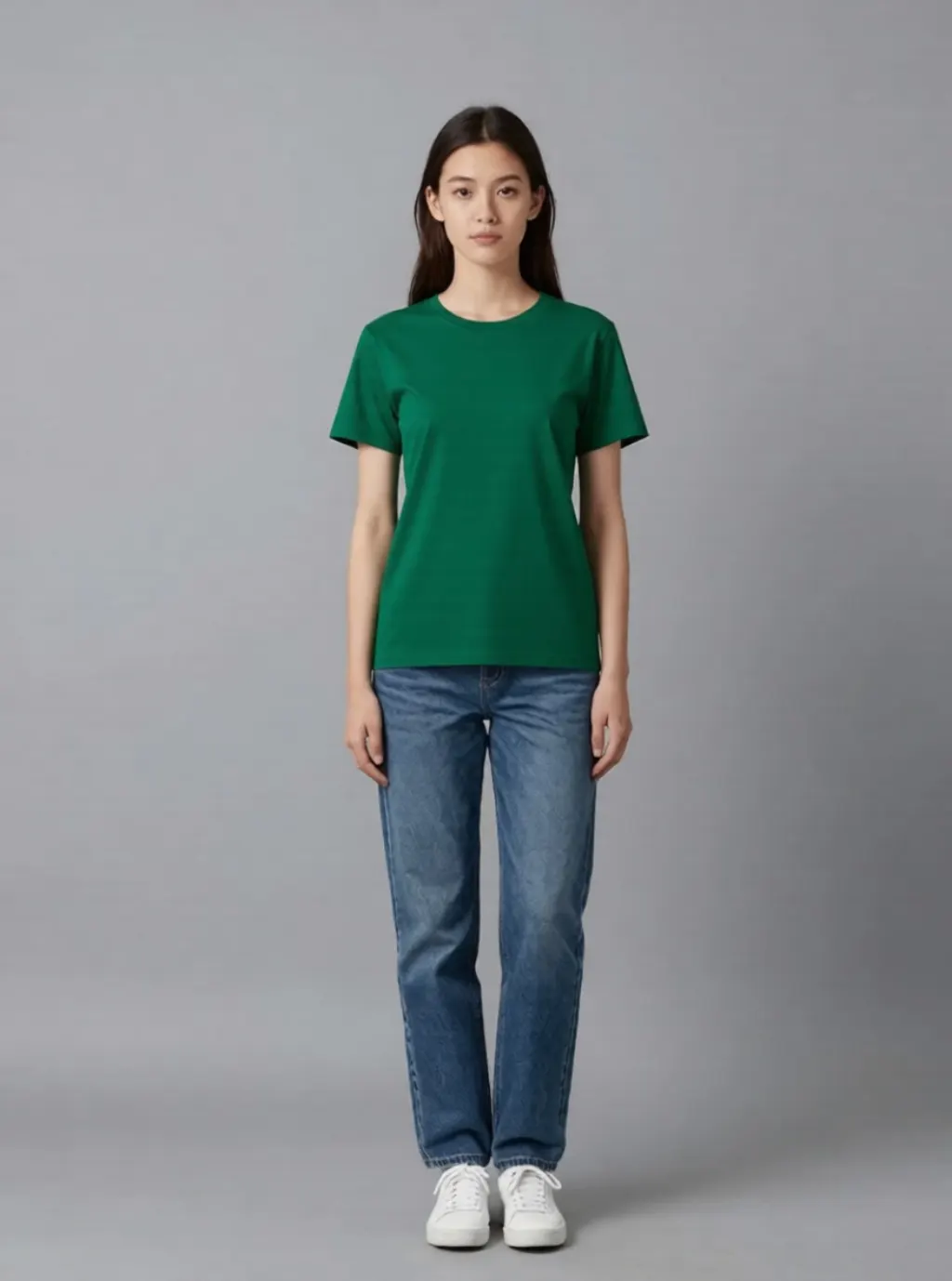
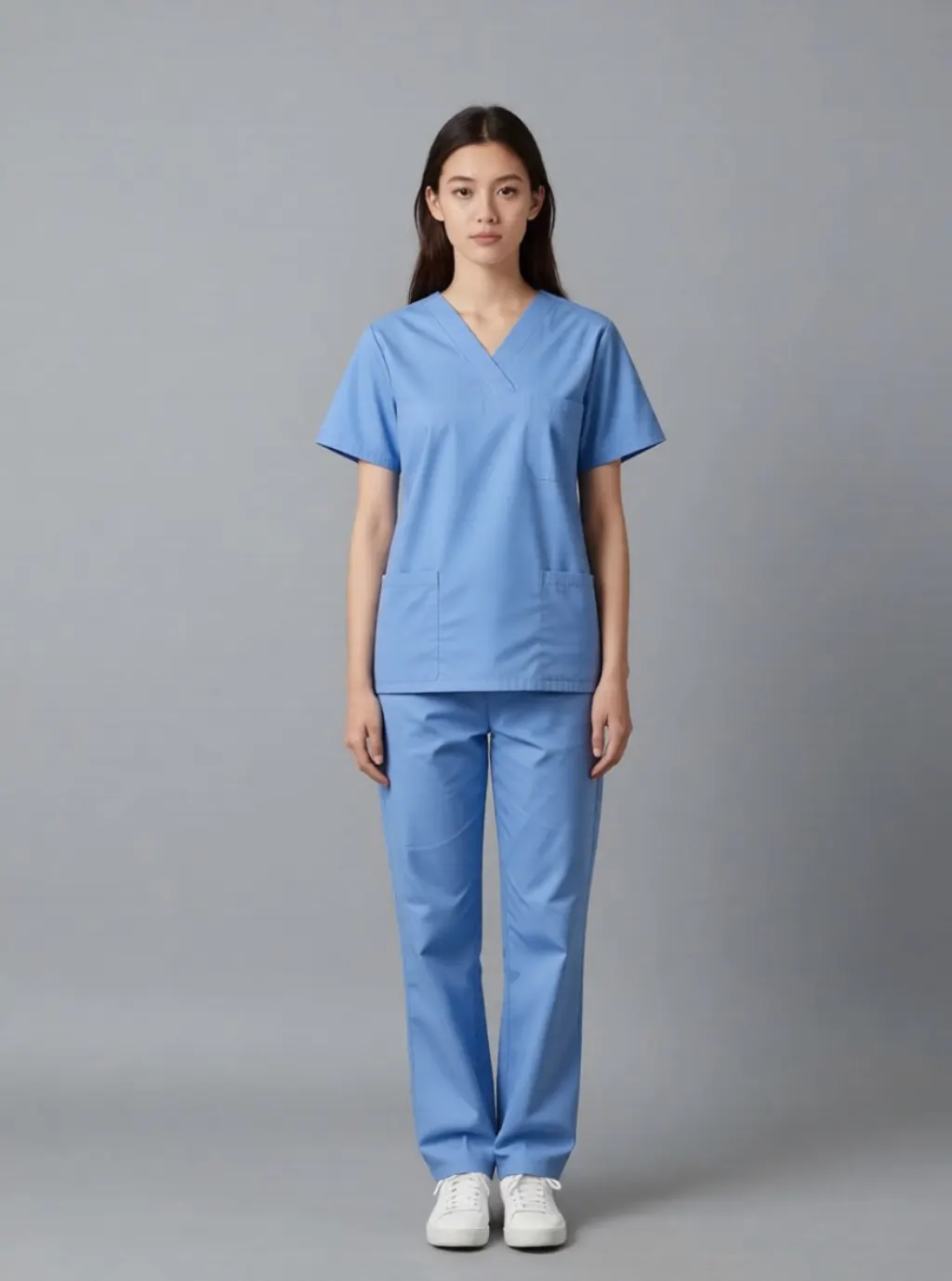
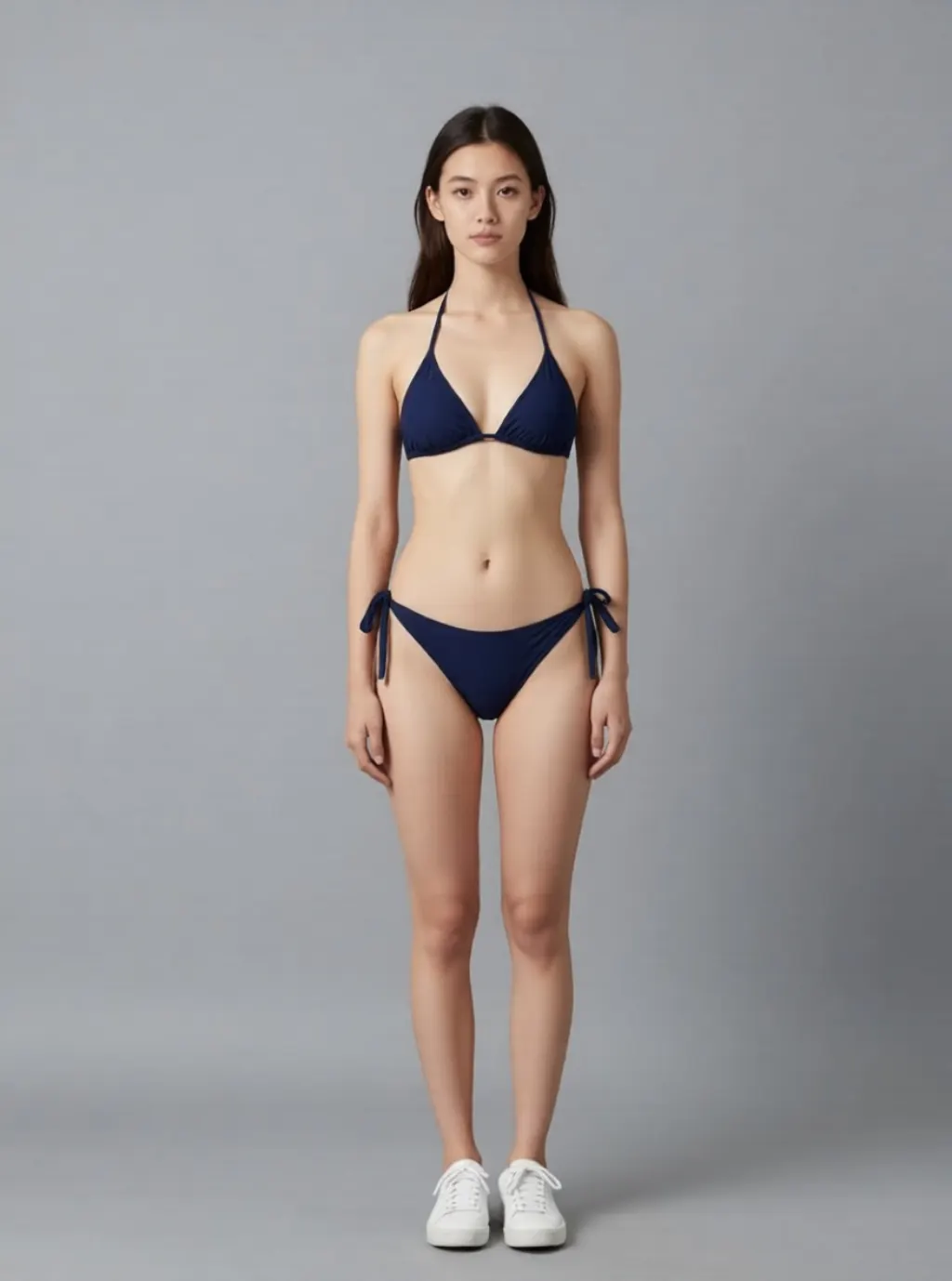
We ran ten outfit swaps through a free AI editor. The clothes changed and the shoes did not.
One generated model, ten instructions, one refusal. What breaks is never the garment you named. It is everything you did not.
Guideediting·FreeImgGen Team·Updated ·Tested on Qwen Image Edit
The short answer
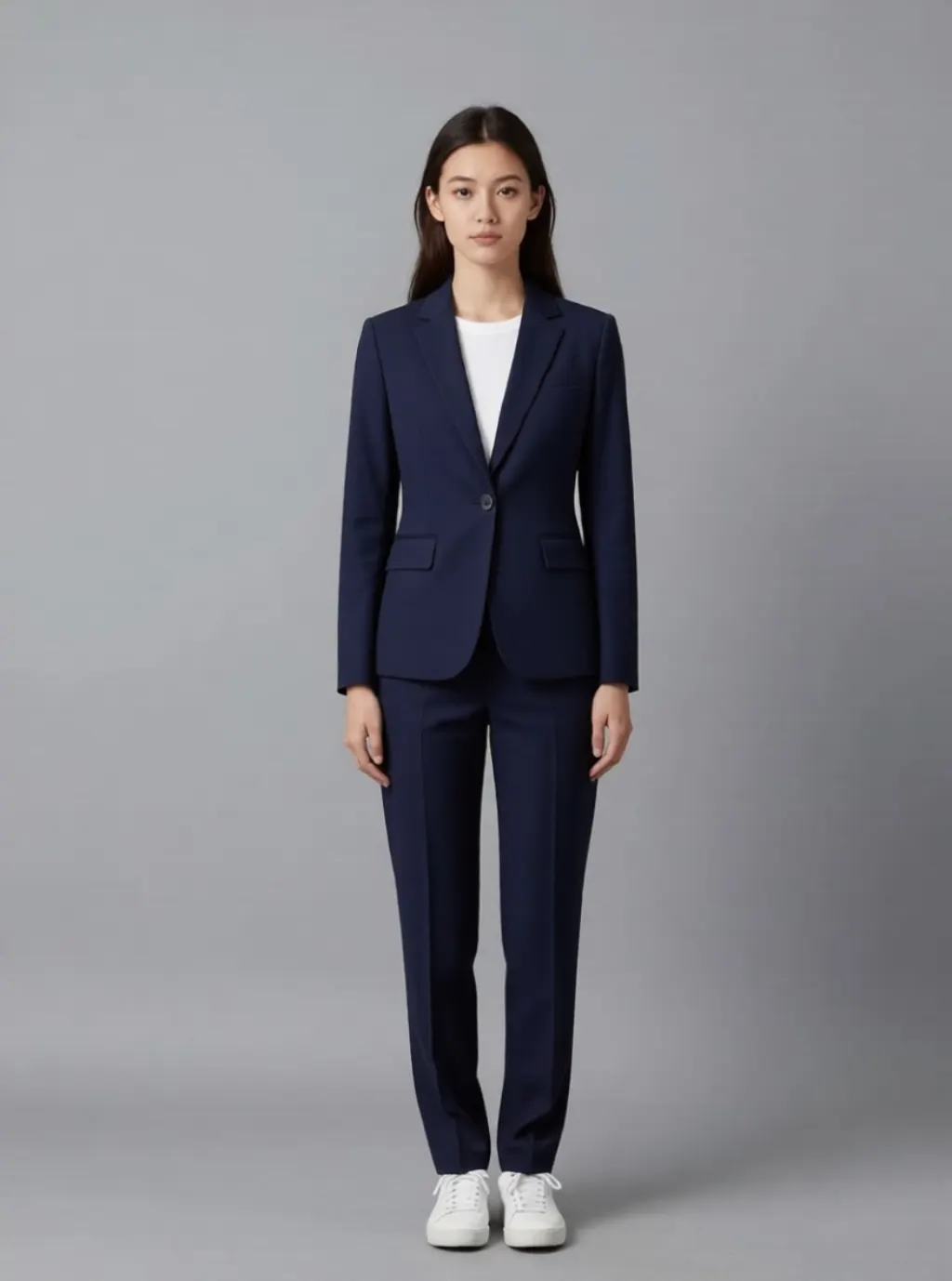
An AI clothes changer replaces the garment you name and leaves the rest of the picture alone, which is both why it works and why the results look wrong. All ten of our outfit instructions succeeded on the first attempt on 2026-08-12, at a median of 38.9 seconds each. The same white trainers came through into a navy business suit, a red summer dress and hospital scrubs, because nobody told the model to change them.
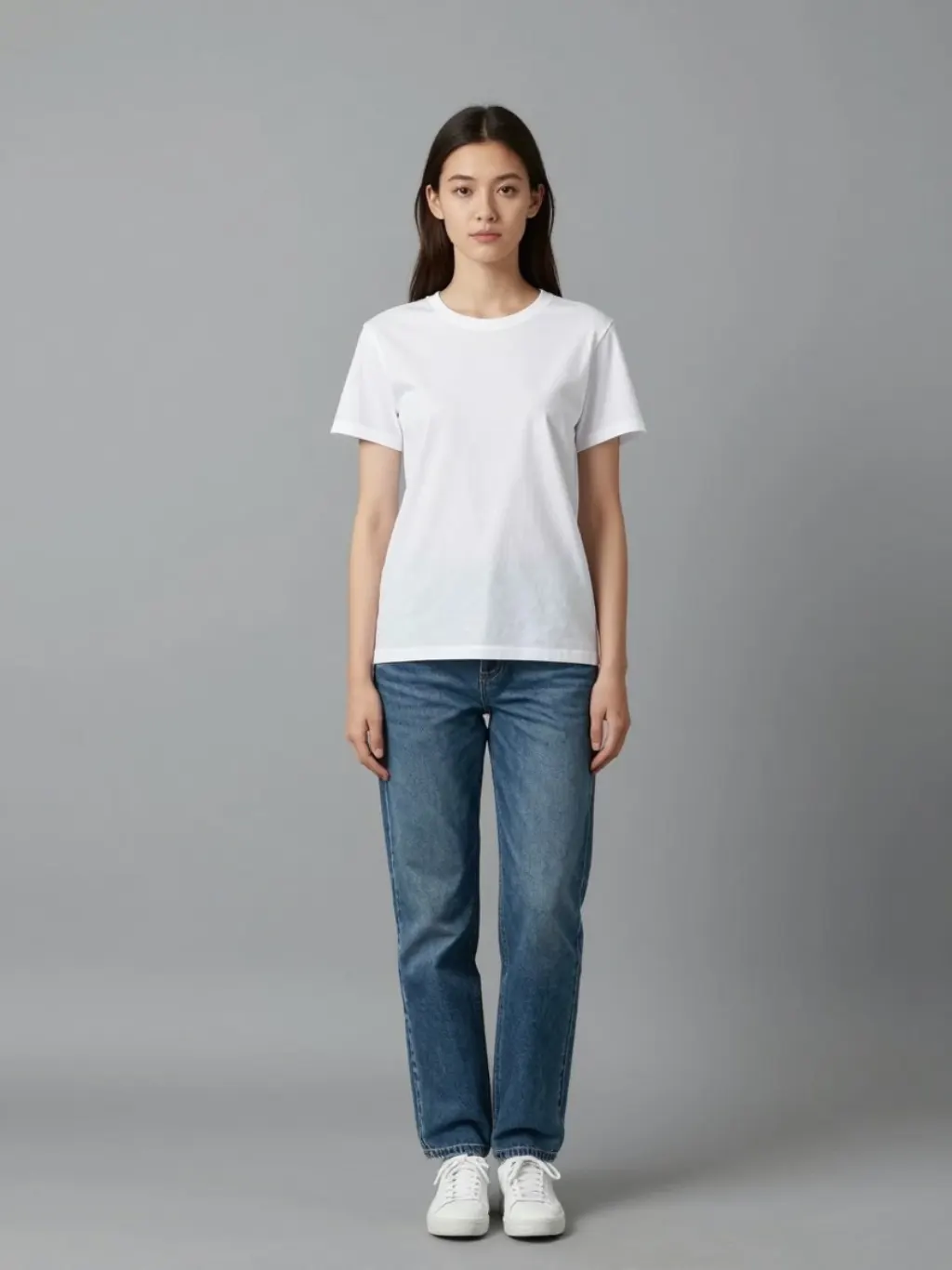
MethodOne base photograph, generated rather than taken from a real person, then eleven edit instructions run against that same file on 2026-08-12. Qwen Image Edit, one attempt each, nothing re-rolled. Six of the eleven are shown; ten succeeded and one was refused.
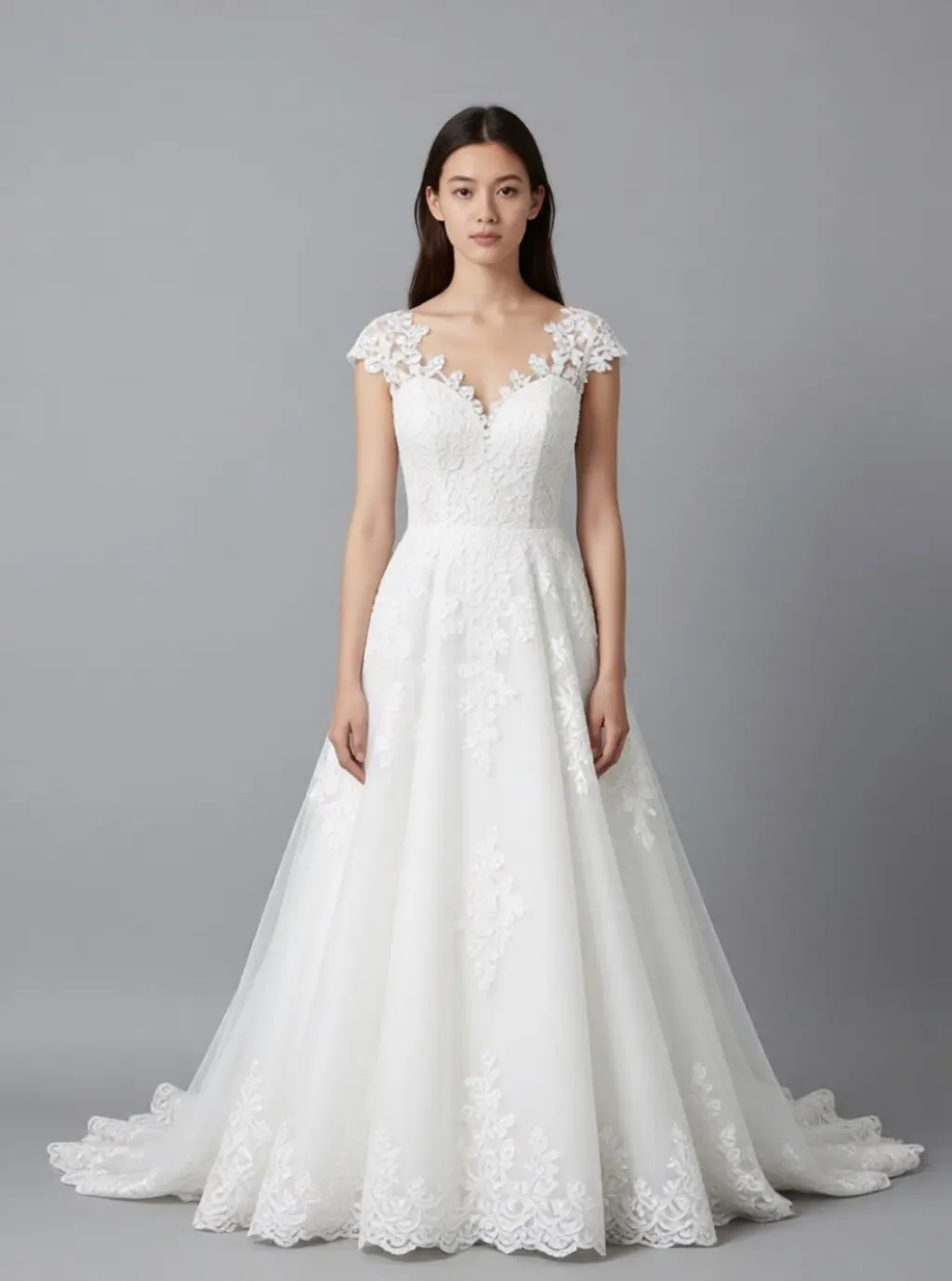
The biggest change in the set, and the only one where the trainers are not visible, because the skirt covers them rather than because they were replaced.
In eight of the ten successful edits the original white trainers are still on her feet. Under a business suit. Under a red summer dress. With hospital scrubs.
This is what an instruction-following editor does. It reads the sentence, changes what the sentence names, and treats everything else as background to preserve. That preservation is the feature. It is why the face survives, why the pose survives, why the grey wall and the light direction survive, and it is exactly why the results read as a paper doll rather than as a second photograph.
The fix is to say the rest out loud. "Change her outfit to hospital scrubs and white clogs" is a different instruction from the one we ran, and it produces a coherent picture instead of an uncanny one.
Free, no sign-up, and what it refuses
The searches around this tool are almost entirely about access rather than quality: free, online free, no sign up, no login. So, plainly: editing here needs no account and carries no watermark, and the free allowance is five edits per device per day. Generating new images has no cap at all.
What it will not do is the other half of the question. Our tenth instruction, asking for underwear, came back refused, and that is a deliberate limit rather than a bug. Requests that undress a person are blocked whatever wording you use, and so are edits that put a real, identifiable person into a scene that misrepresents them.
It also works on one still image at a time. There is no video mode here, so the outfit-swap clips that circulate on TikTok are a different kind of tool from this one.
The instruction that was refused
We ended the run by asking the editor to remove her clothes. It came back refused in under a second, before the model was called at all.
That refusal is not a setting. Undressing requests and anything sexualising minors are blocked on every host we run, and no site policy switches them off. This is the same line that two governments and a state attorney general drew around a much larger product in January 2026, described in what Grok's spicy mode allows.
Worth knowing before you upload anything: the picture we edited here is generated rather than photographed, and that was deliberate. Our terms rule out using the service on real people in a deceptive or non-consensual way, and an outfit swap of somebody else's photograph is the exact case those words are about.
What this cannot do for a shop
If you sell clothes, this is not virtual try-on and it will hurt you if you treat it as such.
The model invents a plausible garment that matches your words. It does not put your product on a model. Ask for a navy business suit and you get a navy business suit, not the one with your buttons, your lapel width and your fabric. For a listing, that is a misrepresentation with extra steps.
What it is good for is everything before the shoot: mood boards, layout tests, seeing whether a colourway reads at a glance. If you need the real garment on a real person, photograph it. There is no prompt that recovers a product you did not show the model.
Getting a clean swap on the first try
Name the garment and the footwear in one sentence. Shoes are the thing the model keeps by default and the thing that gives the edit away.
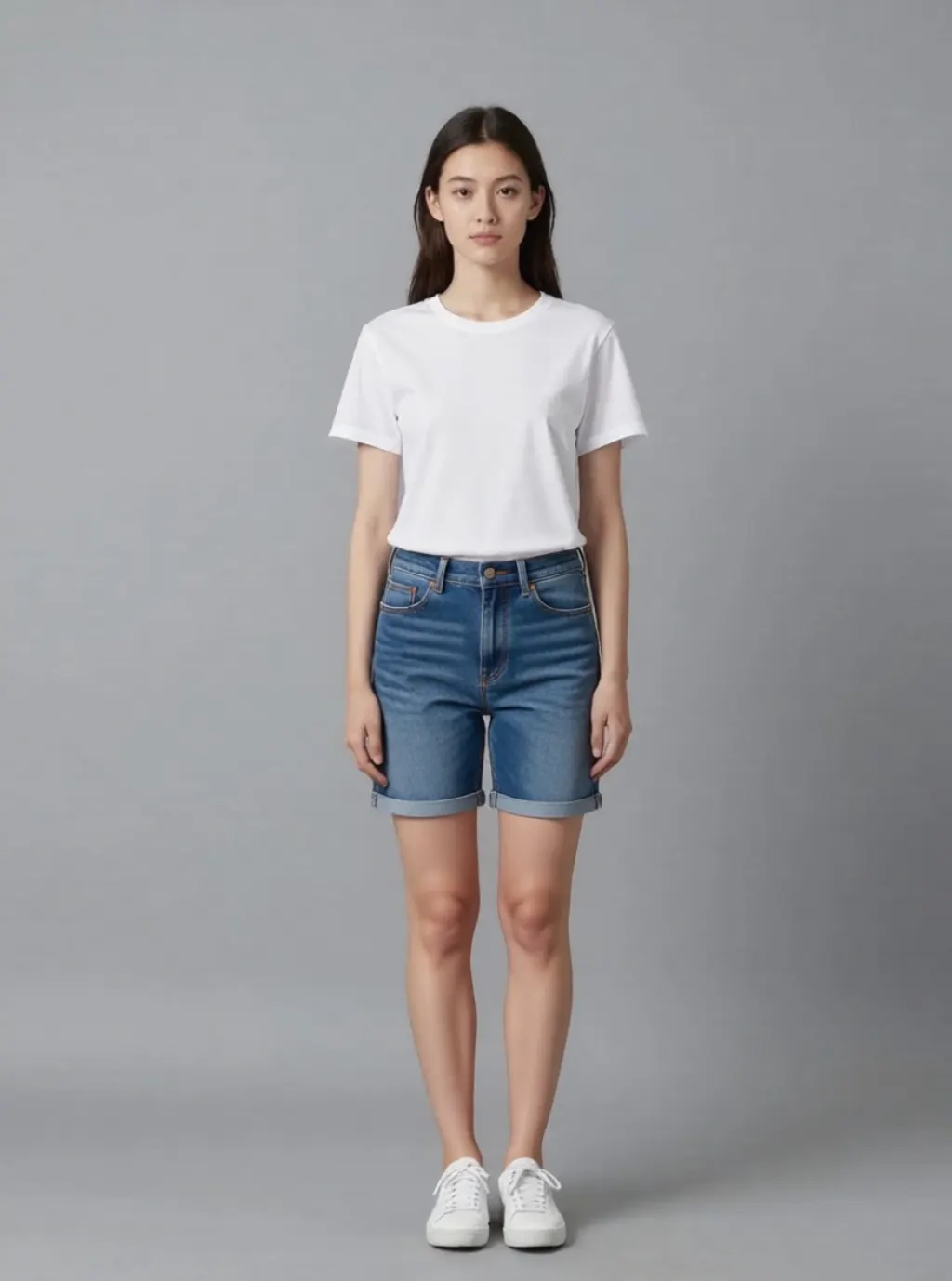
Say what to keep when you only want part of it changed. "Change the jeans to denim shorts, keep the t-shirt" preserved the shirt exactly; an instruction that just said shorts would have been free to redraw both.
Start from a full-body photograph against a plain background if you can. Every edit above worked against a plain grey wall, and the failures we have seen elsewhere in editing tend to arrive when the model has to rebuild a busy background around a new silhouette.
Change one thing in a picture you already have
Upload a photo, write one sentence, name the shoes as well as the outfit. Free, no account, and the file is deleted after 24 hours.
For changing what somebody is wearing in a picture, yes. All ten outfit instructions we ran on 2026-08-12 produced the requested garment on the first attempt, with the face, pose, background and lighting preserved. The recurring artefact is that unnamed items, shoes above all, stay exactly as they were.
Can AI remove clothes from a photo?
Not here. That request is refused before the model runs, on every site we operate, and it is not a configurable setting. It is also the specific capability that led two countries to block a much larger product in January 2026.
How long does an outfit change take?
A median of 38.9 seconds across our ten edits, with a range of 15.7 to 65.3 seconds. Narrow instructions such as recolouring a shirt are the fastest; replacing a whole outfit costs the most.
Can I use this for my online shop?
Only for planning, not for listings. The editor invents a garment that matches your description rather than reproducing the one you sell, so a customer would be looking at a plausible fiction of your product. Use it for mood boards and layout tests, then photograph the real thing.
Do I need an account to try it?
No. The editor is at /image-editor/, there is no sign-up, no watermark and no credit counter, and uploads are deleted after 24 hours.