Qwen Image Edit: what it actually changes when you edit one thing
The model behind our image editor, run through six instructions on pictures we made ourselves, with everything it changed by accident left in.
Model filemodels·FreeImgGen Team·Updated ·Tested on Qwen Image Edit
The short answer
Qwen Image Edit does not patch the part of the picture you named. It re-renders the whole frame conditioned on your instruction, which is why asking for glasses can hand you back a different sweater. It holds a face across an edit well enough for background swaps and clothing changes, and our six edits took 19.8 to 88.1 seconds each, roughly six times longer than generating a fresh image.
MethodSix edit instructions, one run each, through the editor endpoint on freeimggen.com, 2026-08-11. Every source image is one we generated for the Z-Image Turbo guide, so both halves of each pair are ours and the original prompts are already published.
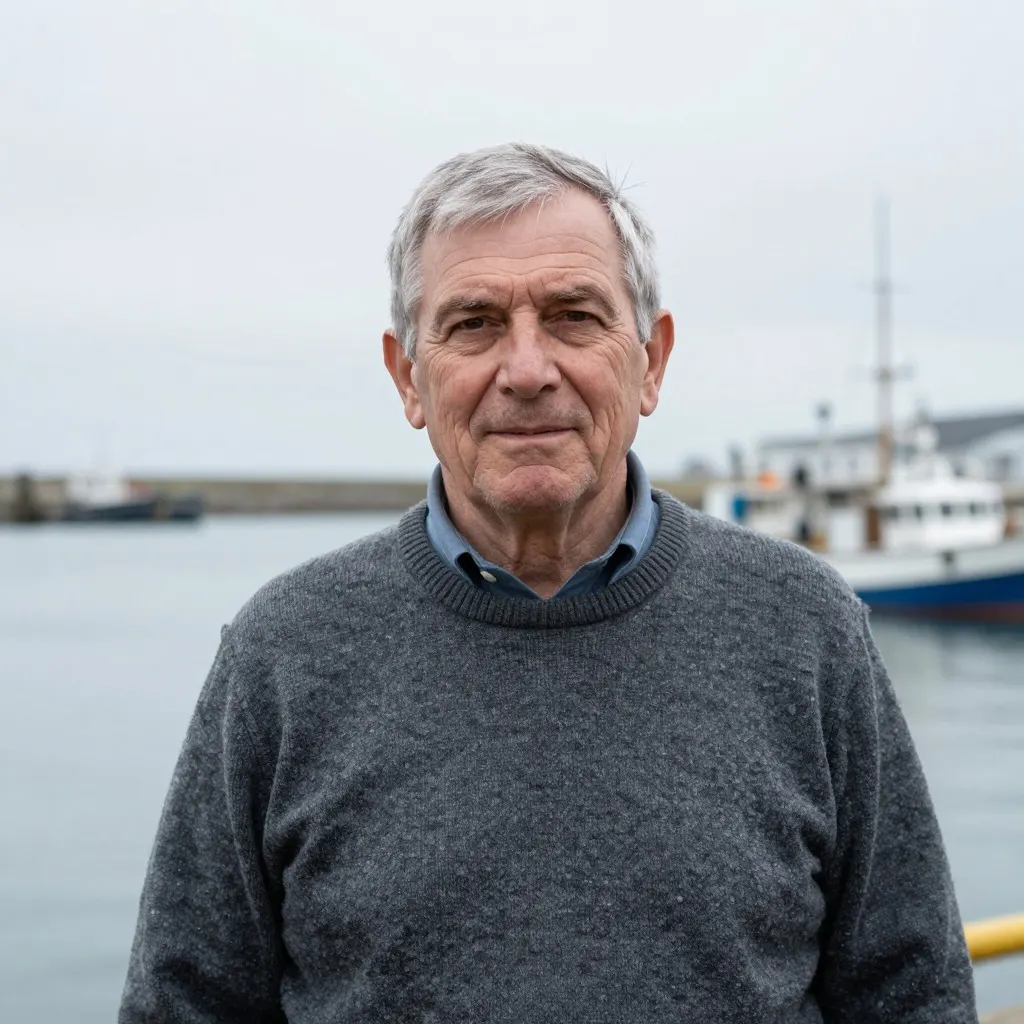
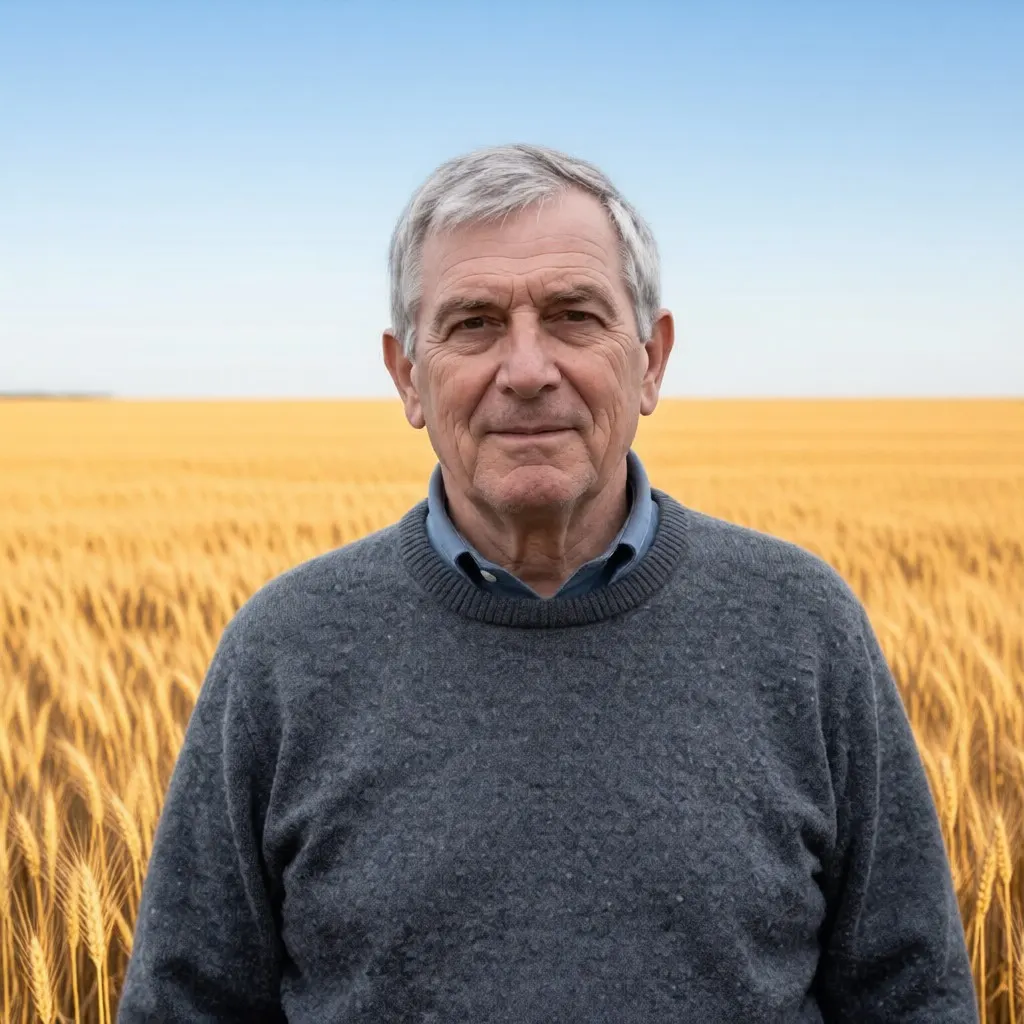
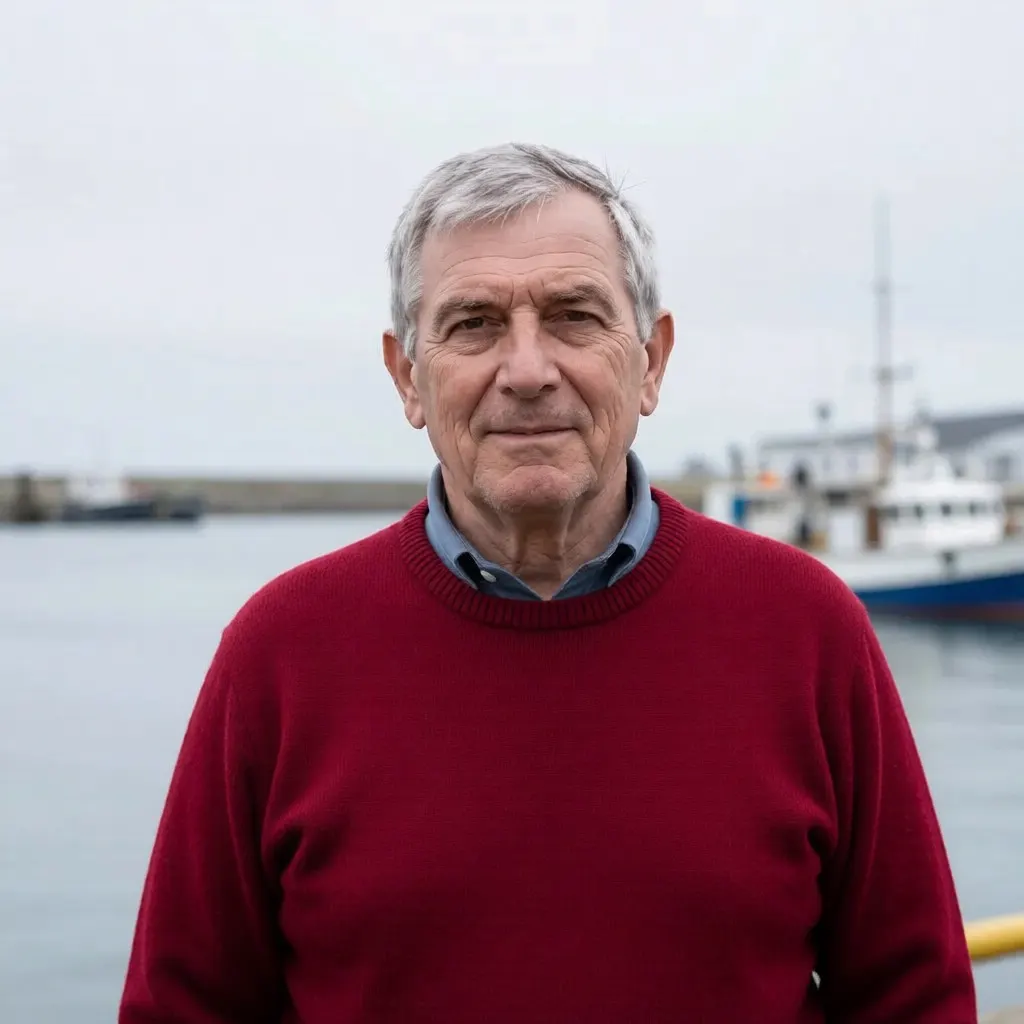
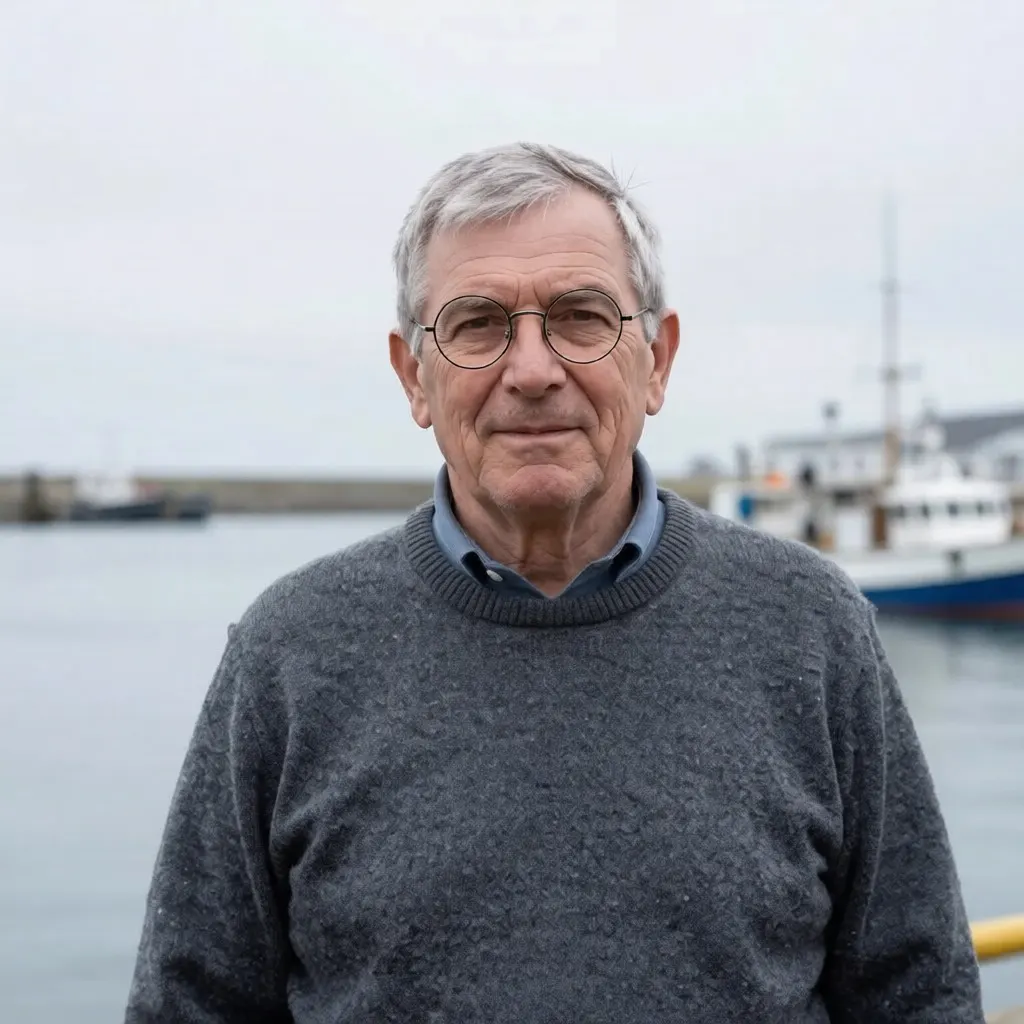
The harbour is gone and the face survived, down to the set of the mouth. Look at the edges instead: it re-cropped a little tighter, and the knit came back smoother than it went in.
Replace the harbour behind him with a sunlit wheat field
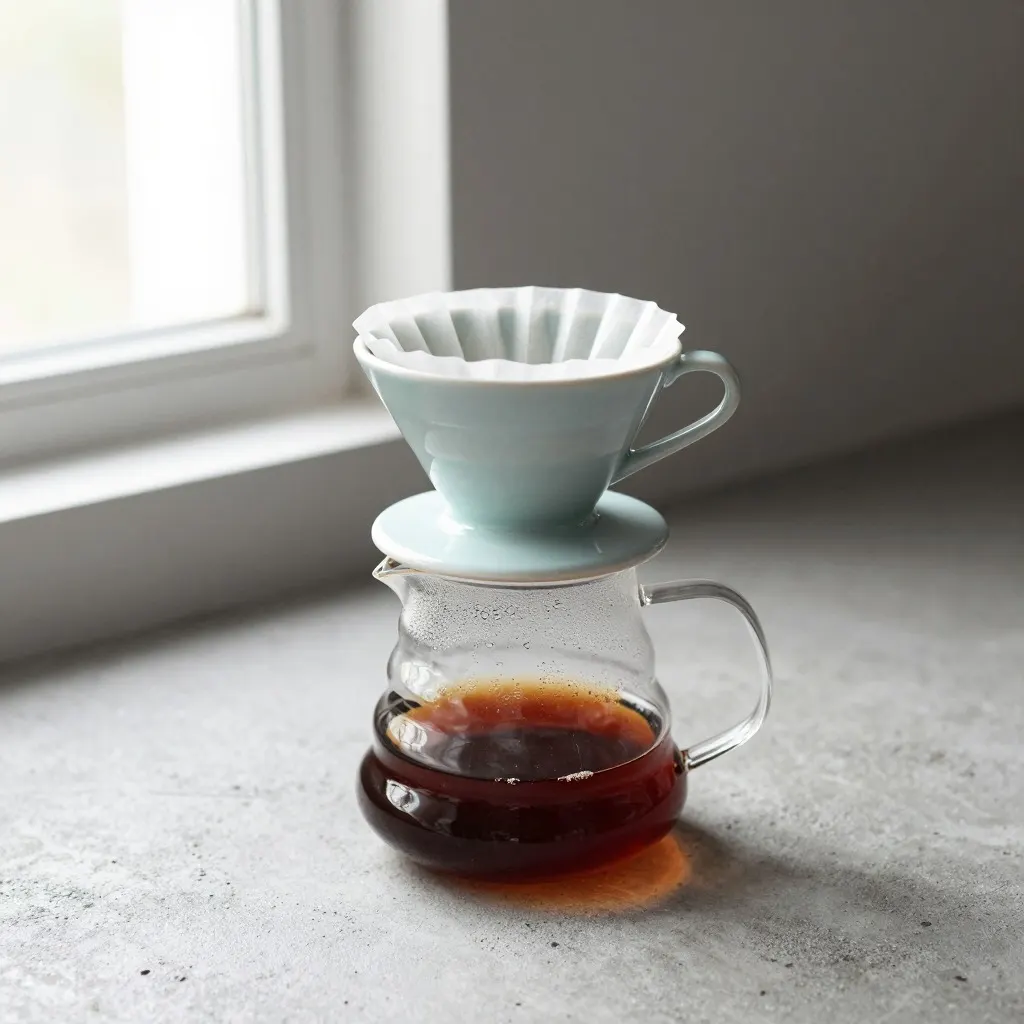
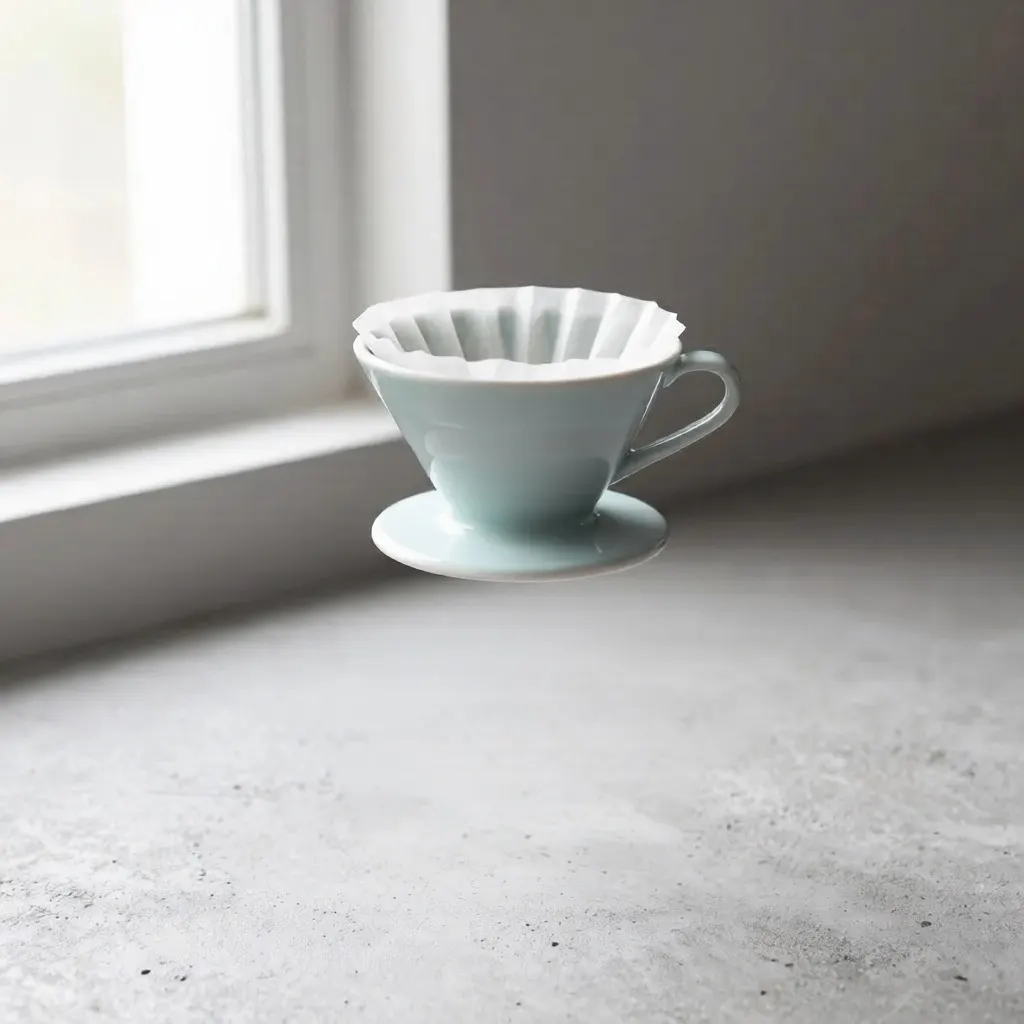
The carafe is gone. So is the thing that was holding the dripper up, and the dripper now floats above the concrete with its shadow well below it. Nothing in the model was tracking what rested on what.
The cleanest of the six. Sweater red, everything else where it was, including the boat and the harbour wall. The knit is slightly smoother, and that is the only tell.
Make his wool sweater deep red, leave everything else unchanged
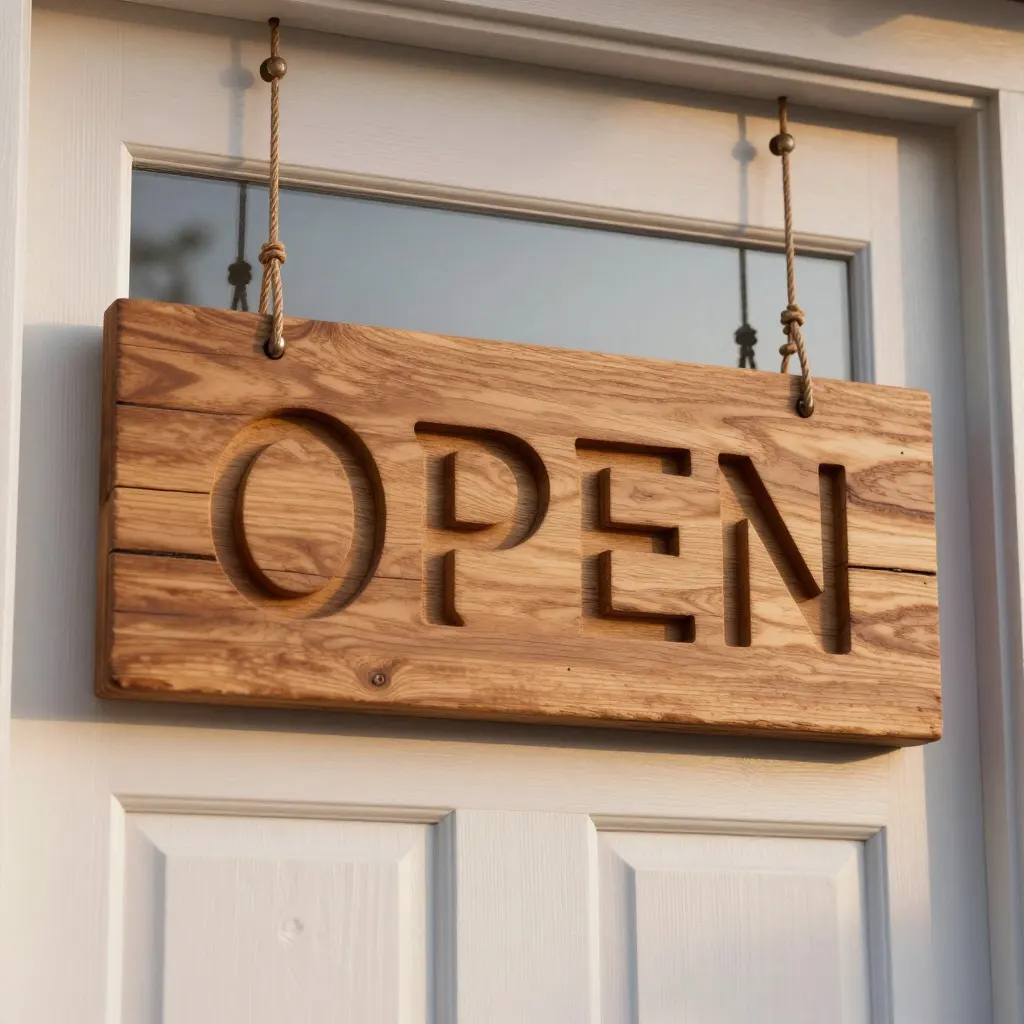
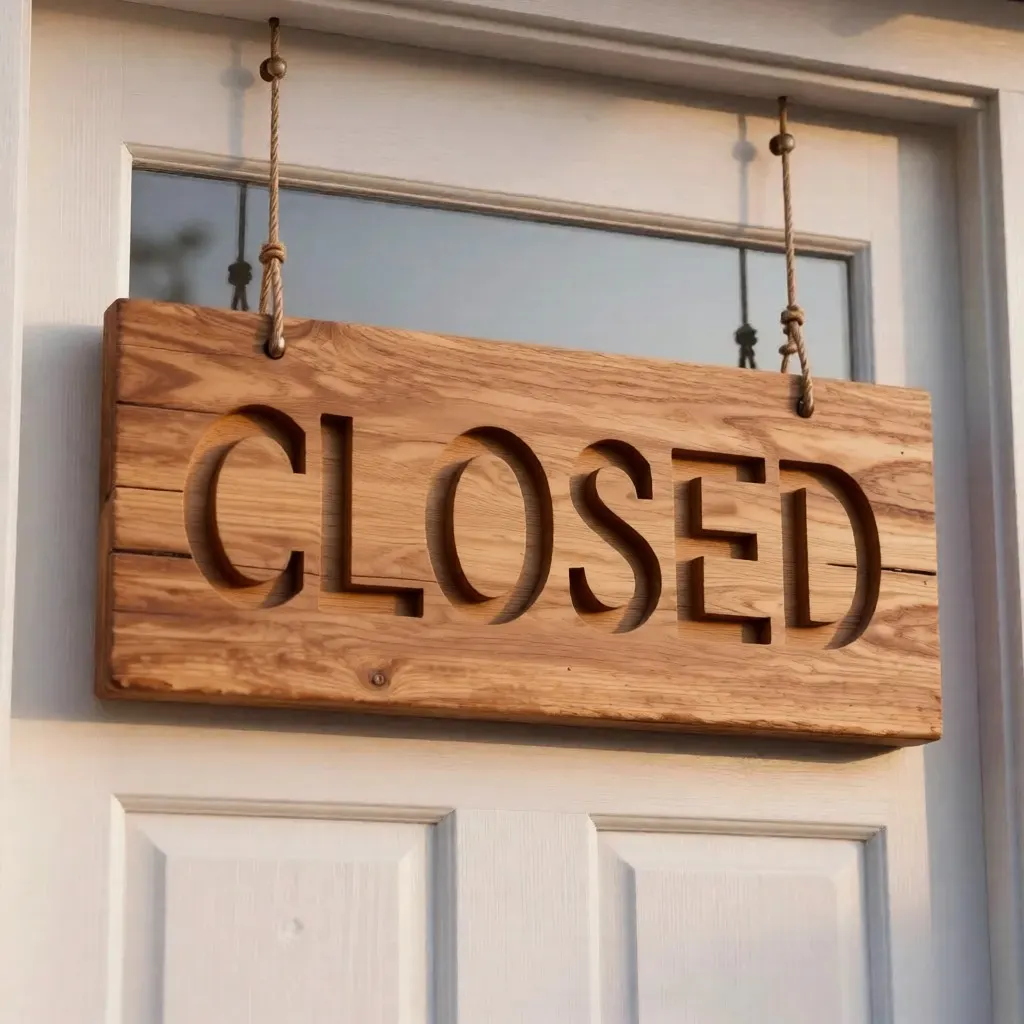
OPEN to CLOSED, six letters, all six legible. The wood grain is also different, the sign sits bigger in the frame, and the whole picture is softer. Nothing about this edit was local.
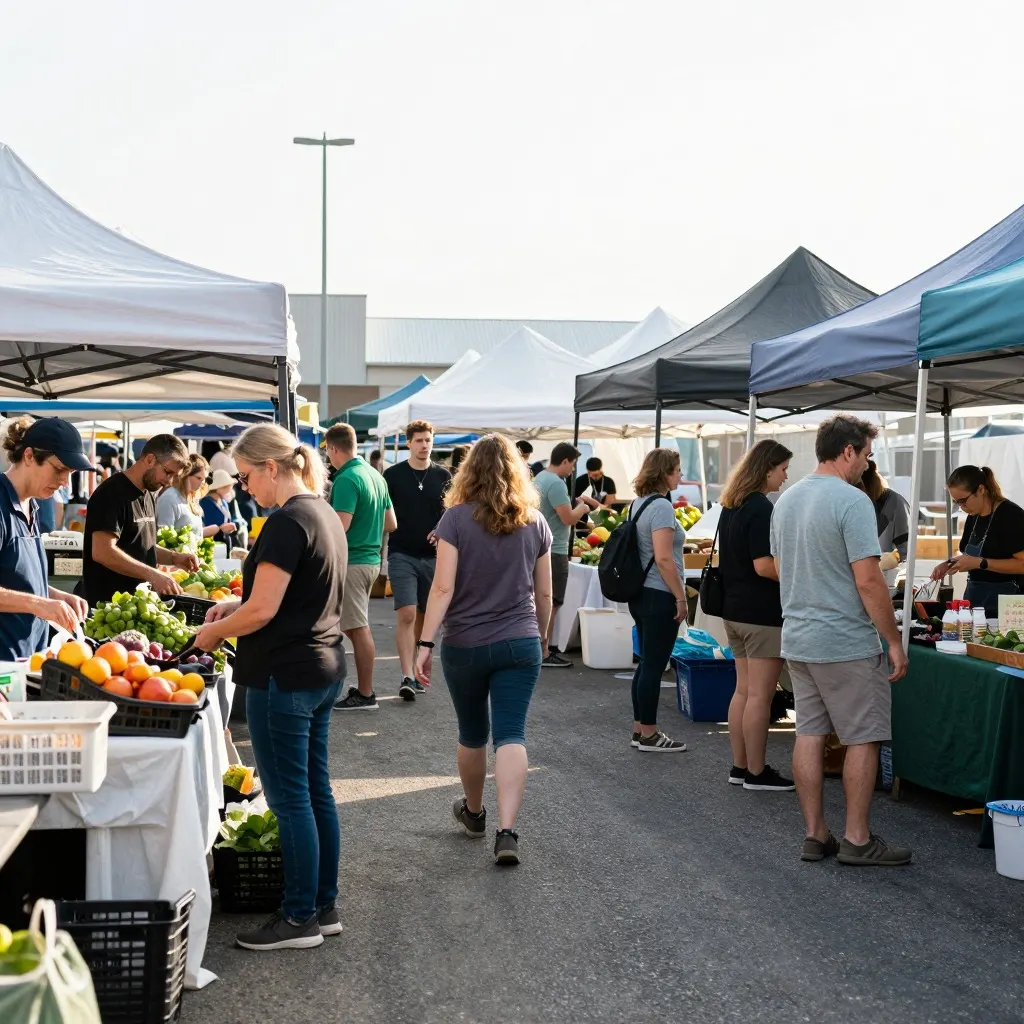
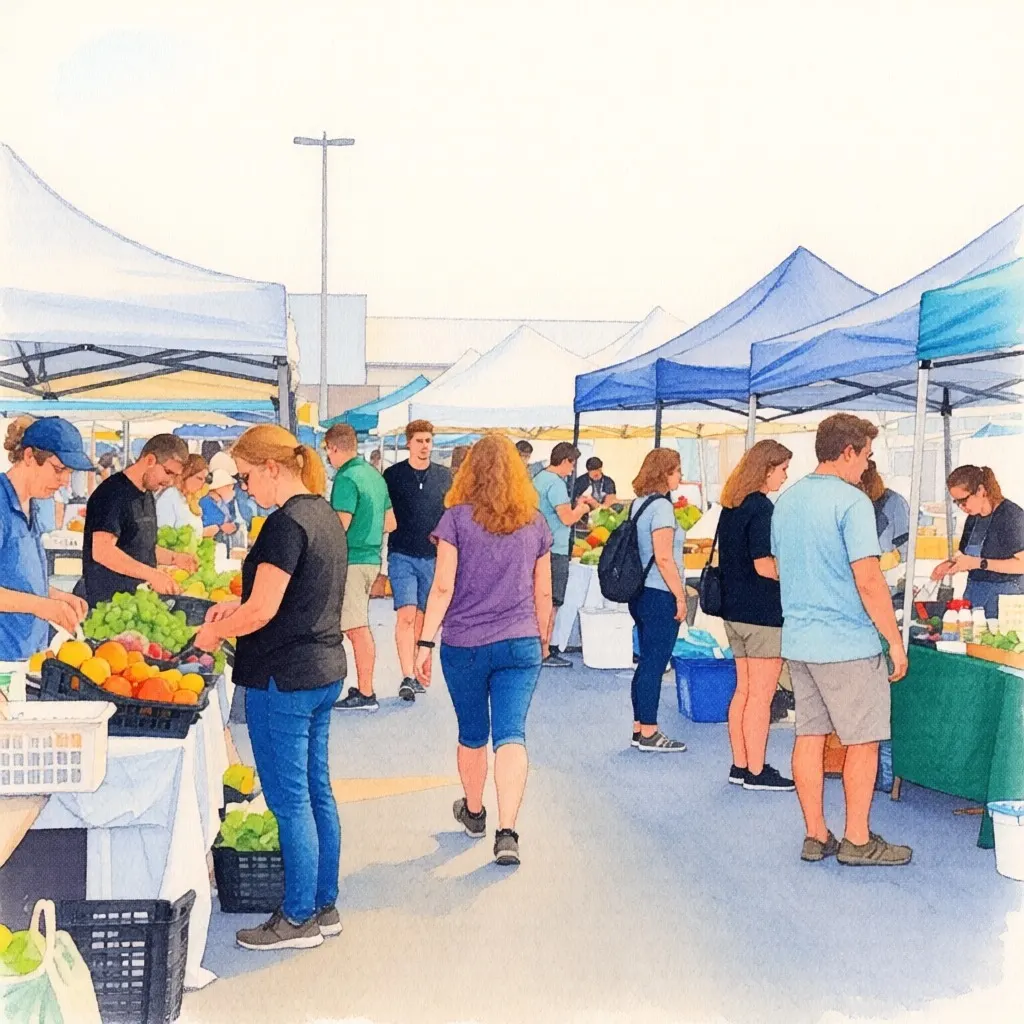
Paper texture, soft bleeding edges, and the crowd still laid out the way it was, stall for stall. Individual shoppers shifted. Style transfer is the best case for this model, because re-rendering everything is the whole point of the request.
Glasses in the right place and the face intact. The sweater came back with a coarser, nubbier knit than the one it started with, and we never said anything about the sweater.
Add a pair of round wire-rimmed glasses on his face
Qwen Image Edit is an open image-editing model. You upload a picture, describe the change in a sentence, and get a new picture back. We run it on the same RTX 4090 that runs Z-Image Turbo for text-to-image, which is why editing here is free with no account and no watermark.
The thing to understand before your first edit: this is a diffusion model conditioned on your image and your instruction. There is no selection, no mask, no layer, and no region of the picture that is protected from being redrawn.
Every pixel goes back through the model
Frame 06 is the clearest case in the set. We asked for glasses. We got glasses and a different sweater, and nobody mentioned the sweater.
The same thing shows up in frame 04. Change one word on a sign and the wood grain, the framing and the sharpness all move with it. In frame 01 the crop tightened by a few percent for no reason we asked for.
You cannot prompt your way out of this, because it is what the model does rather than a mistake it makes. "Leave everything else unchanged" buys you pressure, not a guarantee. It is the one line that separated frame 03, the cleanest result here, from frame 06, and it costs nothing to add.
When it changes nothing, or changes everything
The three complaints people search for after this model name are that it is not working, not following the prompt, and not changing anything. All three have the same root, and it is the behaviour in the frames above: the model re-renders the whole picture from your instruction rather than editing a region of it.
Nothing changed. Usually the instruction named something the model could not locate, or it named a change too small to survive a full re-render. Name the object by its appearance and position, "the blue mug on the right", rather than by role, and make the change large enough to see.
It changed the wrong thing. Add what stays. "Leave everything else unchanged" is the line that separated the cleanest result in our set from the messiest, and it costs nothing to include.
It ignored half the sentence. Two instructions in one prompt give the model licence to reinterpret the frame. Run them one at a time, and check the result of each before stacking the next.
This is a known weak point upstream rather than a fault in one deployment. Alibaba's own release notes for Qwen-Image-Edit-2511 list mitigating image drift and improving character consistency as the headline changes of that version, which is the polite way of saying earlier ones moved things nobody asked them to move.
What survives an edit and what does not
Faces survive. Across three edits to the same portrait, frames 01, 03 and 06, the man is recognisably the same person with the same asymmetry around the eyes. That matters more than anything else on this page, because keeping the person is usually the reason someone opens an image editor at all.
Fine texture does not. The wool knit changed in all three portrait edits, and it changed in both directions: smoother in 01 and 03, coarser in 06. If the texture is the subject of your photo, expect an edit to cost you some of it. The same goes for a crowd. In frame 05 the market kept its layout stall for stall, while the individual shoppers moved around inside it.
Physical support does not survive either, which is the failure in frame 02. Take away the object underneath and the object on top is left hanging in the air, because the model has no idea that one was resting on the other.
Getting a cleaner edit out of it
Say what stays, not only what changes. Naming the parts you want left alone is what produced the cleanest result in the set.
Make one change per run. Two instructions in one sentence give the model a licence to reinterpret the whole frame, and you lose the ability to tell which half of your request caused the damage.
Re-run rather than re-word. Editing here is free and uncapped, so sending the same instruction again is cheaper than composing a better one, and the variation between two runs is real.
Check the parts you did not mention. Every result on this page has a change in it that we did not ask for, and in four of the six it takes a second look to find.
When to use something else
If the rest of the photo has to come back untouched, this is the wrong kind of tool and no phrasing will fix it. Use a raster editor with a selection and a brush. GIMP and Photopea are both free, and both do masked edits properly.
We also do not do edits that place a real, identifiable person into a new setting. That is a deliberate limit rather than a feature we have not built yet.
Edit one of your own
Upload a picture, describe the change in one sentence, and see what else moves. Free, no account, and nothing stopping you from running it again.
On this site, yes. Upload a picture at /image-editor/, describe the change, and download the result with no account, no watermark and no credit system. We run the model on our own RTX 4090 and cover the hardware with page ads, so there is nothing to buy. When traffic spikes we rate limit gently.
How long does one edit take?
Our six runs on 2026-08-11 took 19.8 to 88.1 seconds, averaging 59.6. That is about six times longer than generating a new image from a text prompt, which averaged 10.4 seconds on the same hardware. Text edits were the slowest of the six.
Can it edit only one part of the image?
No. There is no mask and no selection. The model re-renders the whole frame conditioned on your instruction, so anything in the picture can come back different. Naming what should stay the same helps, and in our runs it helped a lot, but it is not a guarantee.
Will it keep a person's face?
In our three edits to the same portrait it did: the same face survived a background swap, a clothing colour change and a pair of added glasses. Fine detail like the weave of a sweater changed every time, so identity holds up better than texture does.
Can it change text inside a picture?
Sometimes. We changed a carved sign from OPEN to CLOSED and all six letters came back legible. The rest of the picture was rebuilt around it, with different wood grain and a slightly different crop, so treat a successful text edit as a lucky one rather than a reliable operation.
Can I use edited images commercially?
Yes. Edited results download at full resolution with no watermark, and you can use them in personal and commercial work, the same as anything generated here.