Z-Image Turbo: what it does well, and where it breaks
The model behind every image on this site, run through six prompts on our own hardware, with the failures left in.
Model filemodels·FreeImgGen Team·Updated ·Tested on Z-Image Turbo
The short answer
Z-Image Turbo is the text-to-image model we run on our own GPU, and it returns a picture in about ten seconds. Photographic scenes and flat illustration come out well enough to use as-is. It gets unreliable the moment a prompt asks it to count, to leave something out, or to render more than a few letters of text.
MethodSix prompts, one generation each, through the public endpoint on freeimggen.com, 2026-08-11. Nothing was re-rolled: every image here is the first result the model returned.
photographic portrait
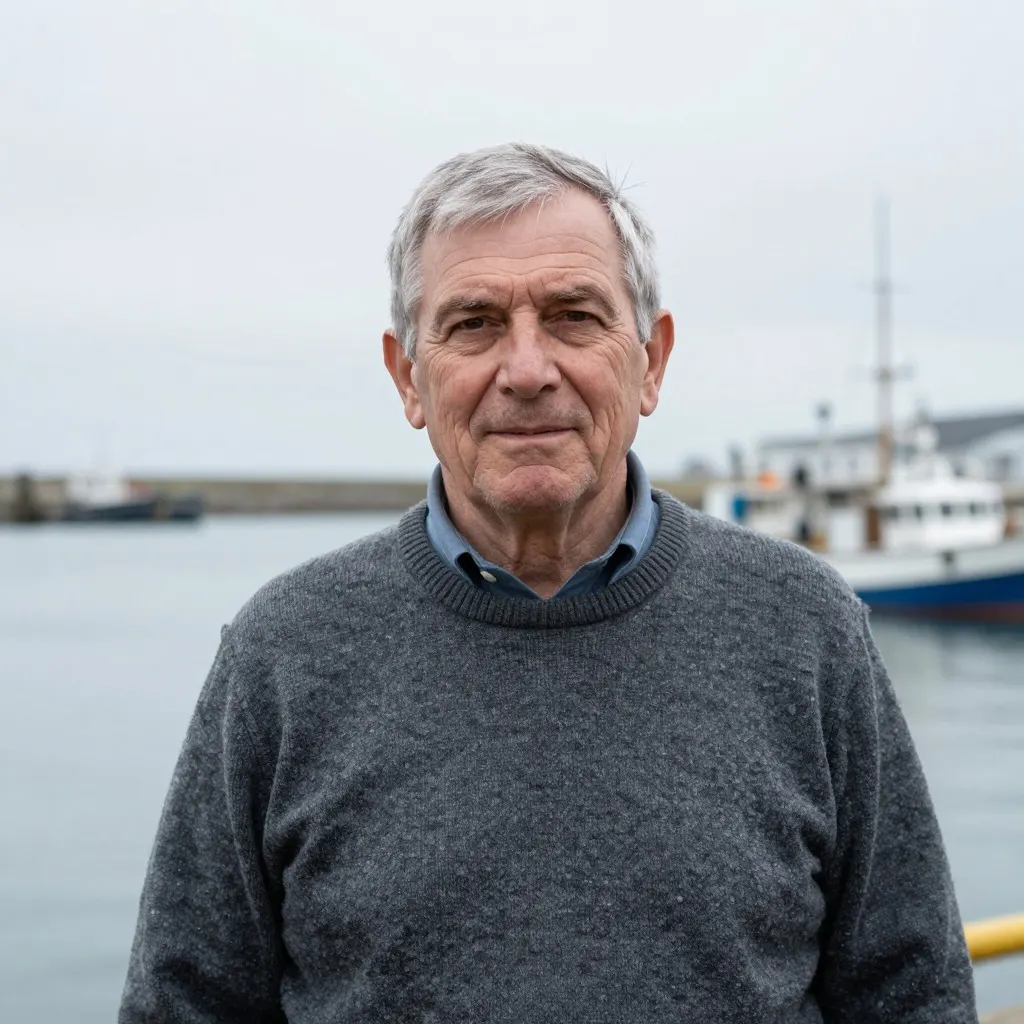
Skin, knit texture and the flat harbour light all hold up at full size. The background falls off exactly as asked.
Portrait photo of an older fisherman in a wool sweater, overcast harbour light, shallow depth of field
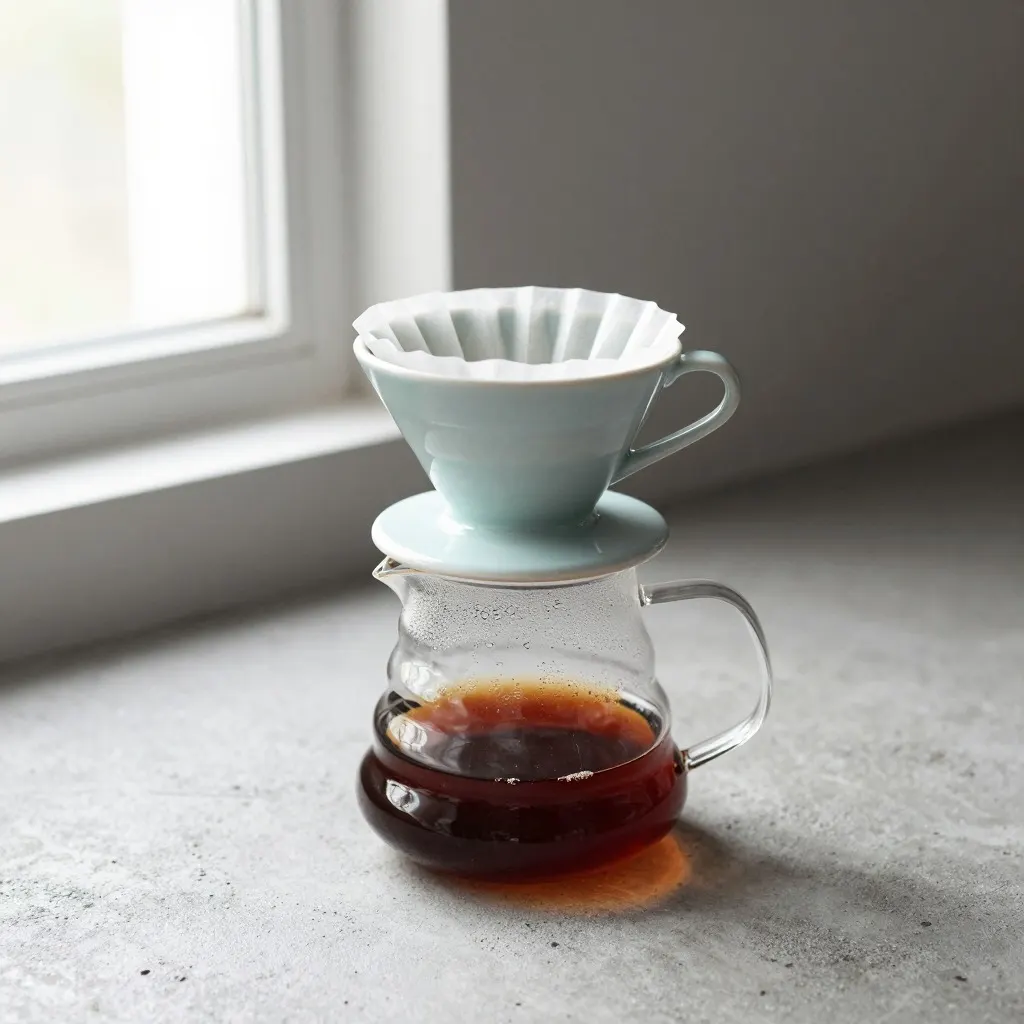
Light direction is right and the ceramic reads as ceramic. It added a carafe nobody asked for, which is typical: it fills in the scene it thinks you meant.
Studio photo of a ceramic pour-over coffee dripper on a concrete surface, soft window light from the left
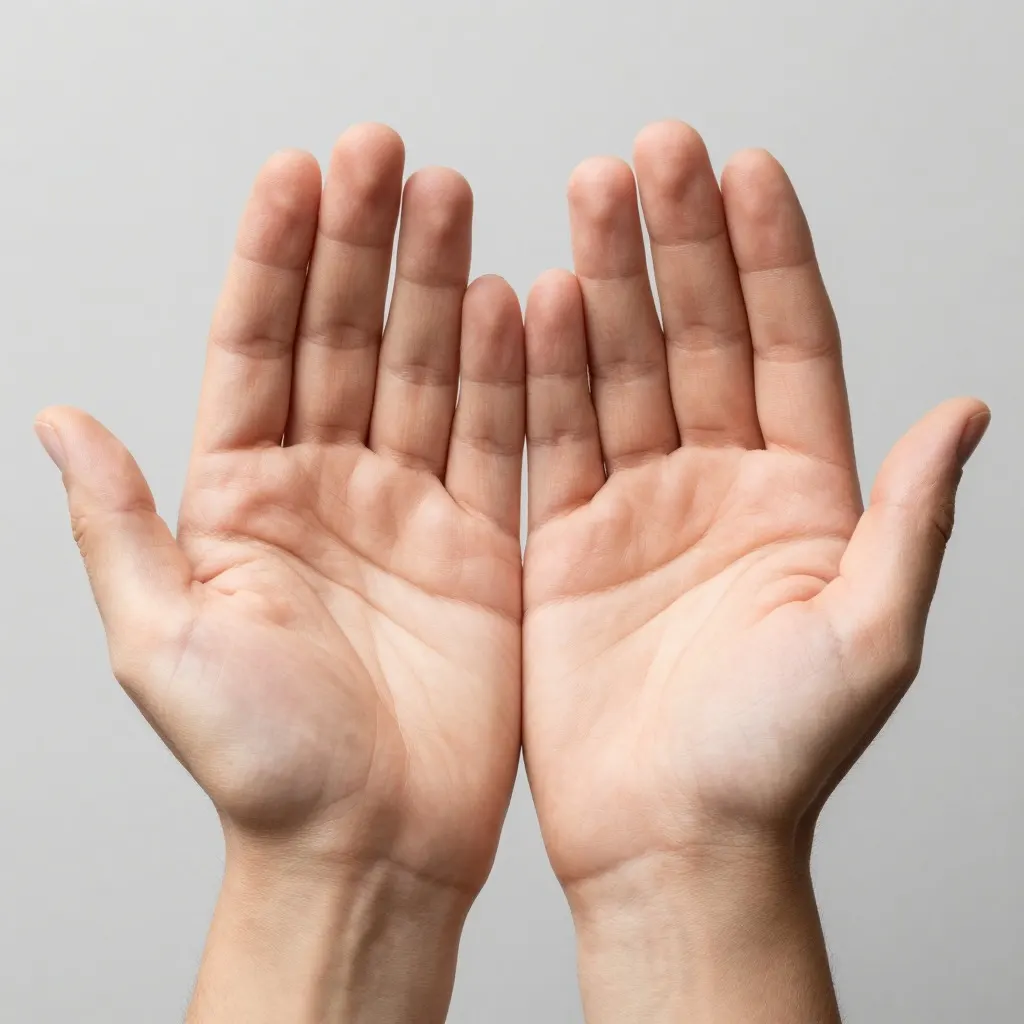
Five digits per hand, which is not where this used to fail. It falls apart where the hands touch: the two inner fingers overlap into a shape that does not resolve, and the left thumb is short.
Close-up photo of two open hands held palms up with fingers spread, plain grey background
Z-Image Turbo is an open text-to-image diffusion model. We run it on our own RTX 4090 rather than reselling somebody else's API, which is the reason this site can stay free with no account and no watermark: the marginal cost of one more image is electricity, and ads cover the hardware.
"Turbo" refers to the step count. It reaches a finished image in a handful of denoising steps instead of the twenty or thirty an older model needed, which is why the wait is ten seconds rather than a minute. That speed is bought with detail in the last few percent, and you can see where the bill comes due in frames 04 and 05 above.
Steps, VRAM, and whether you need to install anything
The questions people type after this model name are how many steps, how much VRAM, how to install it, and whether it can edit a photo. The answers are short.
It takes 8 steps. Turbo is a distilled version of the 6B Z-Image model, and its model card puts it at 8 NFEs with sub-second inference on an H800, which is a data centre card rather than anything you own.
The VRAM figure the authors give is 16GB, described as fitting comfortably on consumer hardware. Quantised community builds run in less, at some cost in fidelity. The checkpoint is Apache-2.0 on both Hugging Face and ModelScope, so nothing about running it locally is gated.
You do not have to install any of it to use it. Every image on this page came from the box at the top of this site, which runs the same checkpoint, and there is no account or credit counter in the way.
It cannot edit your photo. Turbo is text to image only. Editing an existing picture is a different model, Qwen Image Edit, which is what our editor runs. The Z-Image family has announced an Omni variant that would do both, and as of 2026-08-13 those weights are still not published on either hub.
What it is reliably good at
Photographic scenes with one subject are the strong case. Frame 01 needed no retries and no prompt surgery: a person, a material, a light condition, and it delivered all three. Product shots behave the same way, and the model is unusually good at reading light direction from plain English.
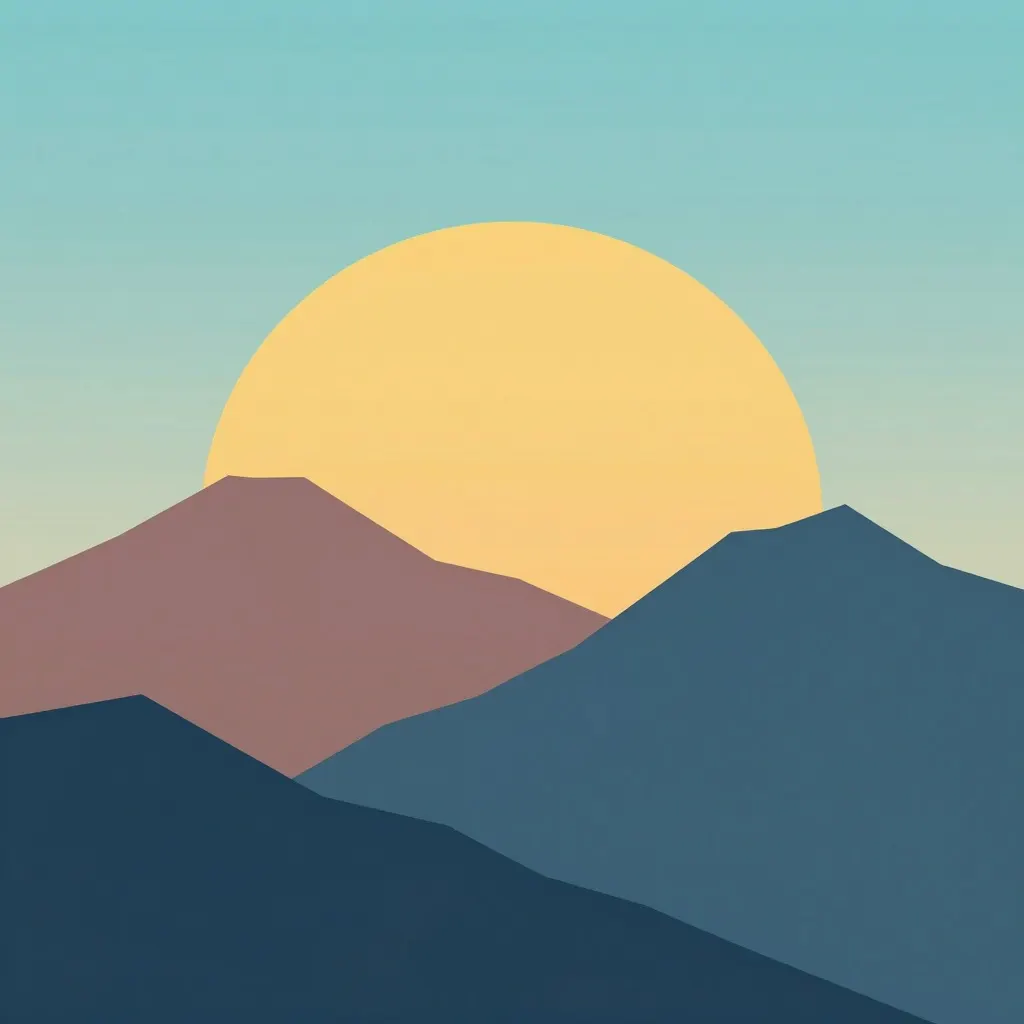
Flat illustration is the other strong case, and the reason is worth knowing. Flat art has no fine texture to get wrong, so the fast step count costs you nothing. If you want something usable from your first prompt, ask for illustration rather than photography.
Where it breaks
The failures cluster into three kinds, and none of them are the ones this model family had a reputation for two years ago.
It does not obey negative or numeric constraints. Frame 03 asked for four flat colours and no gradients. It produced a gradient sky in more than four colours, and it did so while otherwise following the prompt closely. Words like "no", "without" and "only" are weak signals here. So are counts.
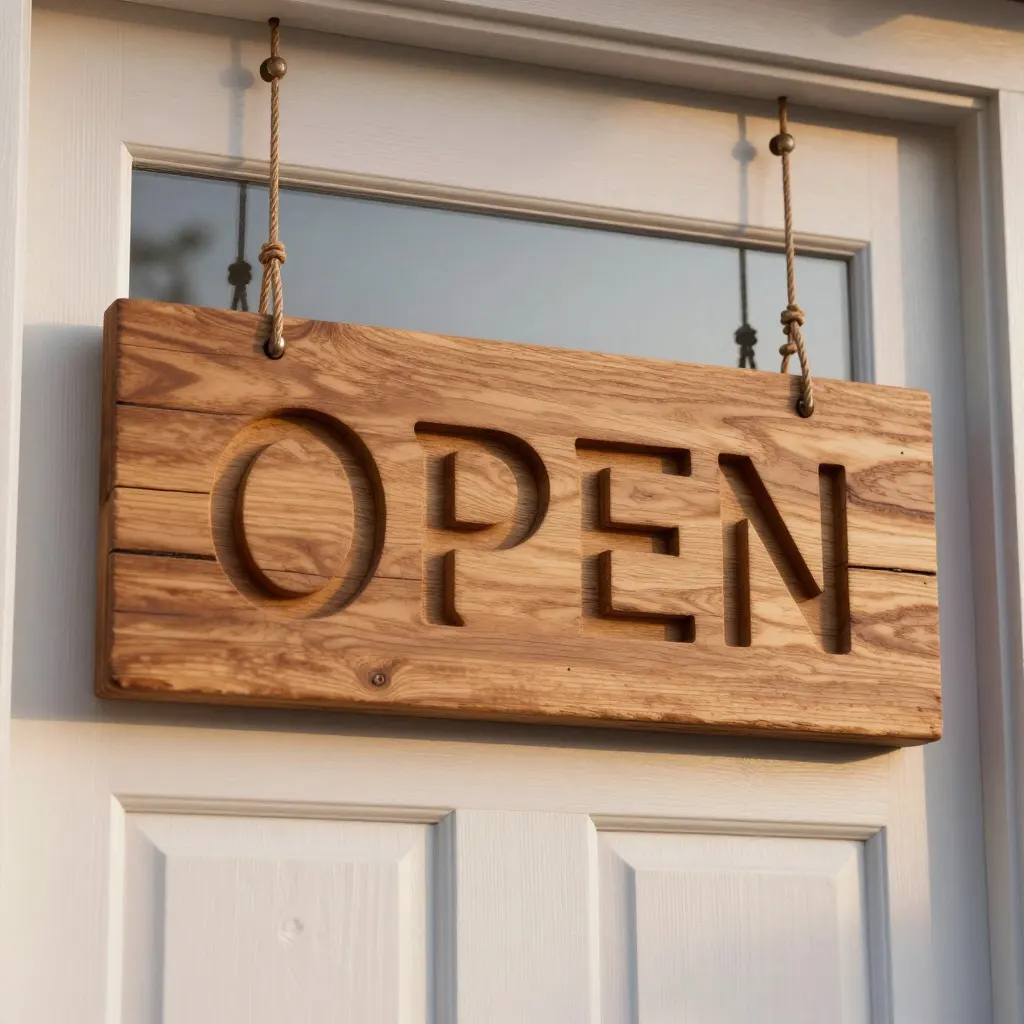
Text is better than its reputation, and still not good enough. Frame 04 rendered a four-letter word legibly. That would have been unusual in 2023. But the O is visibly deformed, and the failure rate climbs with every extra character, so a logo with a company name in it is still a bad bet.
Hands fail at contact, not at counting. Frame 05 has ten digits, correctly distributed. What it cannot do is resolve two hands touching each other. The same applies to fingers wrapped around an object. If your subject is holding something, expect to generate several and pick.
What to do about the weak spots
For text, generate the graphic alone and set the words yourself in a real font afterwards. This takes about a minute in any free editor and it is the difference between a mark you can use and one you cannot.
For constraints, state what you want rather than what you do not. "Four flat colours" moved nothing; describing the four colours by name works far better than asking it to stop at four.
For hands, keep them apart and keep them empty, or crop them out of the frame. If the pose needs contact, generate a batch. Ours is free and uncapped, which makes batch-and-pick a real strategy rather than an expensive one.
When to use something else
Z-Image Turbo outputs raster images at fixed sizes: 1024x1024 square, 1280x720 landscape, 720x1280 portrait, plus two 4:3 ratios. If you need a vector file a print shop can scale, use a vector tool. If you need a phone wallpaper at native resolution, our 720x1280 is about 61% of the width of an iPhone 15 lock screen, so upscale it before you set it.
If you need a real person to look like themselves, this is the wrong tool for the job. Our terms rule out depicting real people in a deceptive, defamatory or non-consensual way, and that is a deliberate limit rather than a gap we are working on.
Run the same prompt yourself
This is the exact prompt behind frame 01. It arrives in the box ready to edit, and it costs nothing to run.
On this site, yes, with no account, no watermark and no image cap. We run the model ourselves and cover the hardware with page ads, so there is nothing to buy and no credits to run out of. When traffic spikes we rate limit gently rather than charging.
What resolution does it output?
Fixed sizes per aspect ratio: 1024x1024 for square, 1152x864 and 864x1152 for 4:3 and 3:4, 1280x720 for 16:9 and 720x1280 for 9:16. Downloads are the full file with nothing stripped. That is below a modern phone screen or a 4K monitor, so upscale before using one as a wallpaper or a print.
Can I use the images commercially?
Yes. What you generate here is yours to use in personal and commercial work, and we do not put a watermark on it or claim a licence back. Whether the output can be copyrighted by you is a separate question from whether you can use it, and the answer differs by country.
Why does it ignore instructions like "no gradients" or "four colours"?
Diffusion models are steered by what a prompt describes, not by what it forbids. A phrase like "no gradients" still puts the concept of a gradient into the conditioning, and counts have no reliable representation at all. Describe the result you want instead of the thing you want removed.
Do I need an account to try it?
No. Open the generator, type a prompt, and the image comes back in about ten seconds. There is no sign-up step, no email, and no card.