Three prompts, ten seconds each, and the three requests that came back wrong so you know what not to ask for.
Guidegetting started·FreeImgGen Team·Updated ·Tested on Z-Image Turbo
The short answer
Type what you want into a generator and wait about ten seconds. That genuinely is the whole process, and a two-word prompt already produces something usable. The gap between a beginner result and a good one is not skill with the tool, it is knowing which three or four details to name, and knowing which requests the model cannot fill no matter how you word them.
MethodSix prompts, one generation each, on freeimggen.com, 2026-08-12. Nothing re-rolled. The first three are the same subject described in increasing detail; the last three are requests chosen to fail.
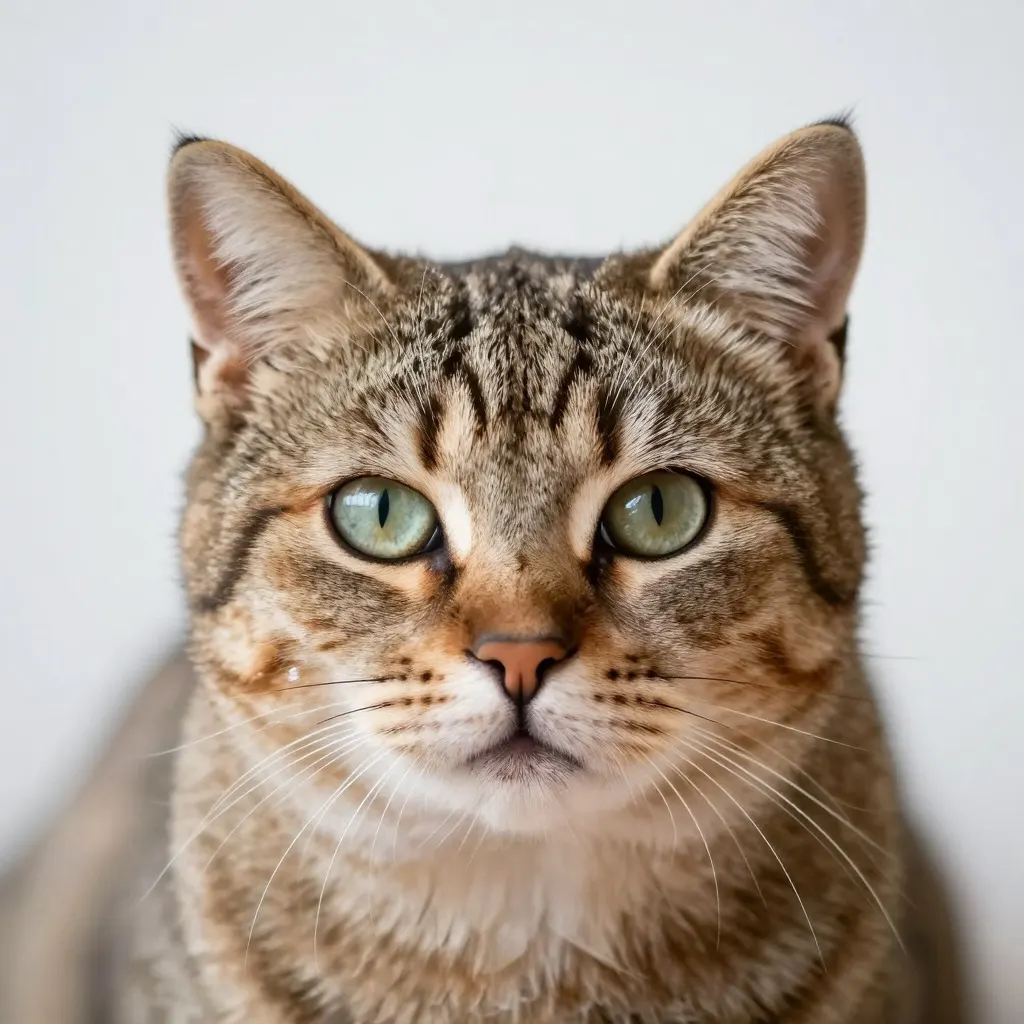
two words
Two words, and the result is already a clean, usable photograph. This is the part people are surprised by: the floor is much higher than it used to be.
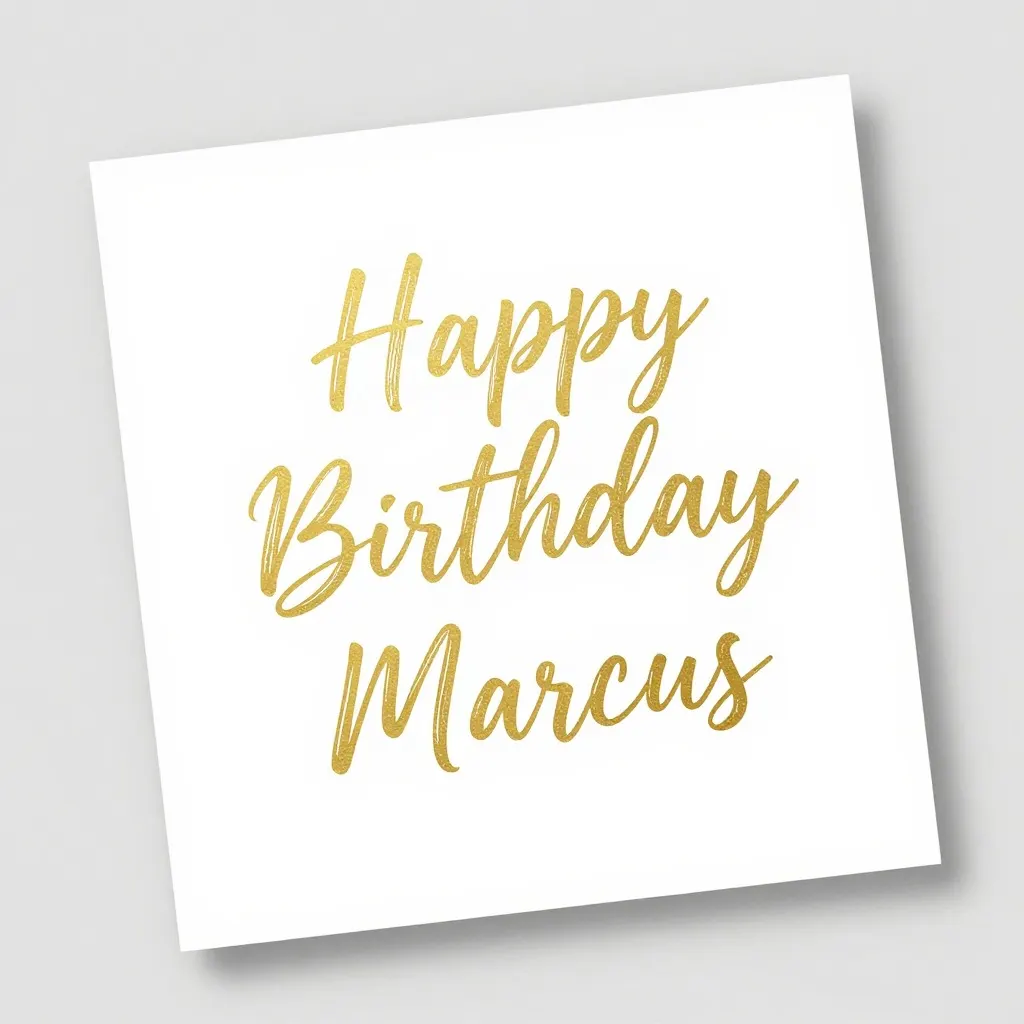
Three words including a name, all spelled correctly, in the script we asked for. We expected this to fail. It did not, which is worth knowing before you write off text.
A birthday card that says Happy Birthday Marcus in gold script
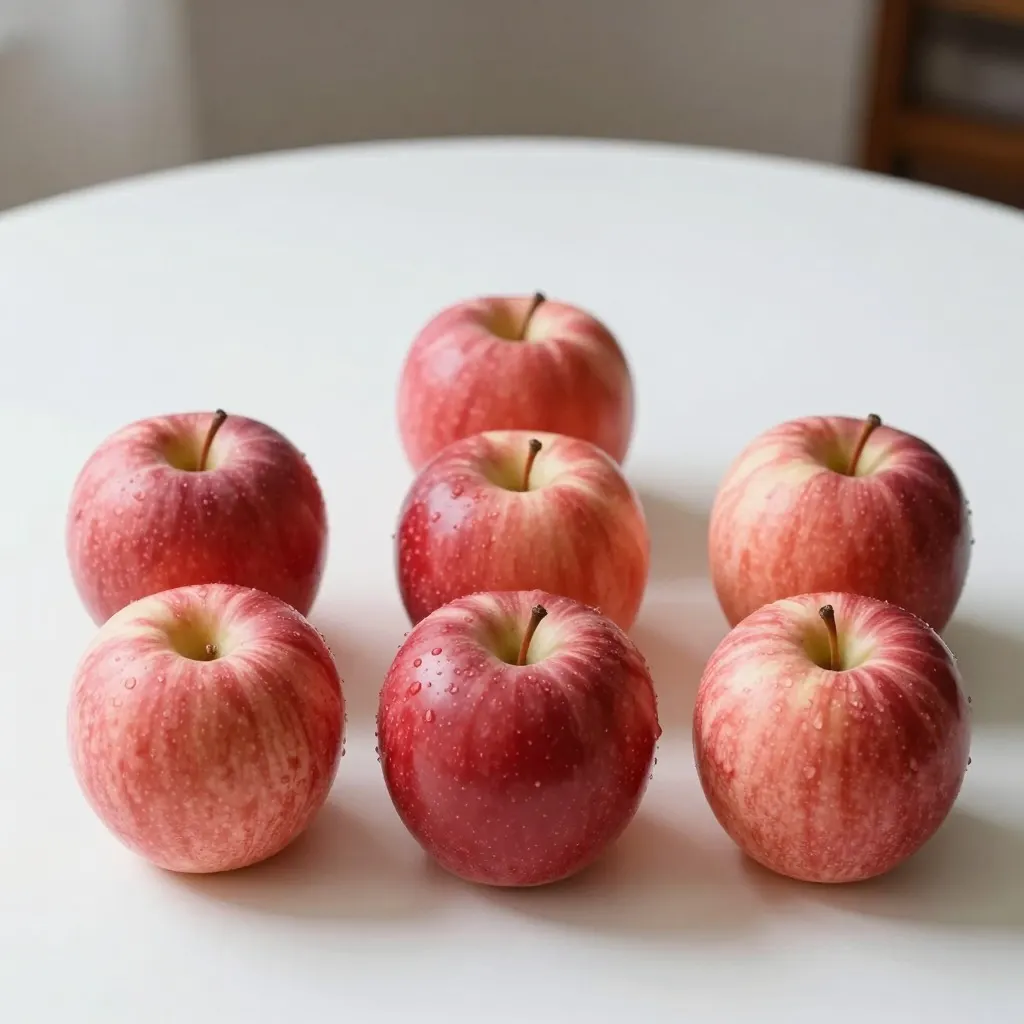
We asked for exactly five. Count them. The word "exactly" carries no weight and neither does the number, because there is no counting anywhere in the process.
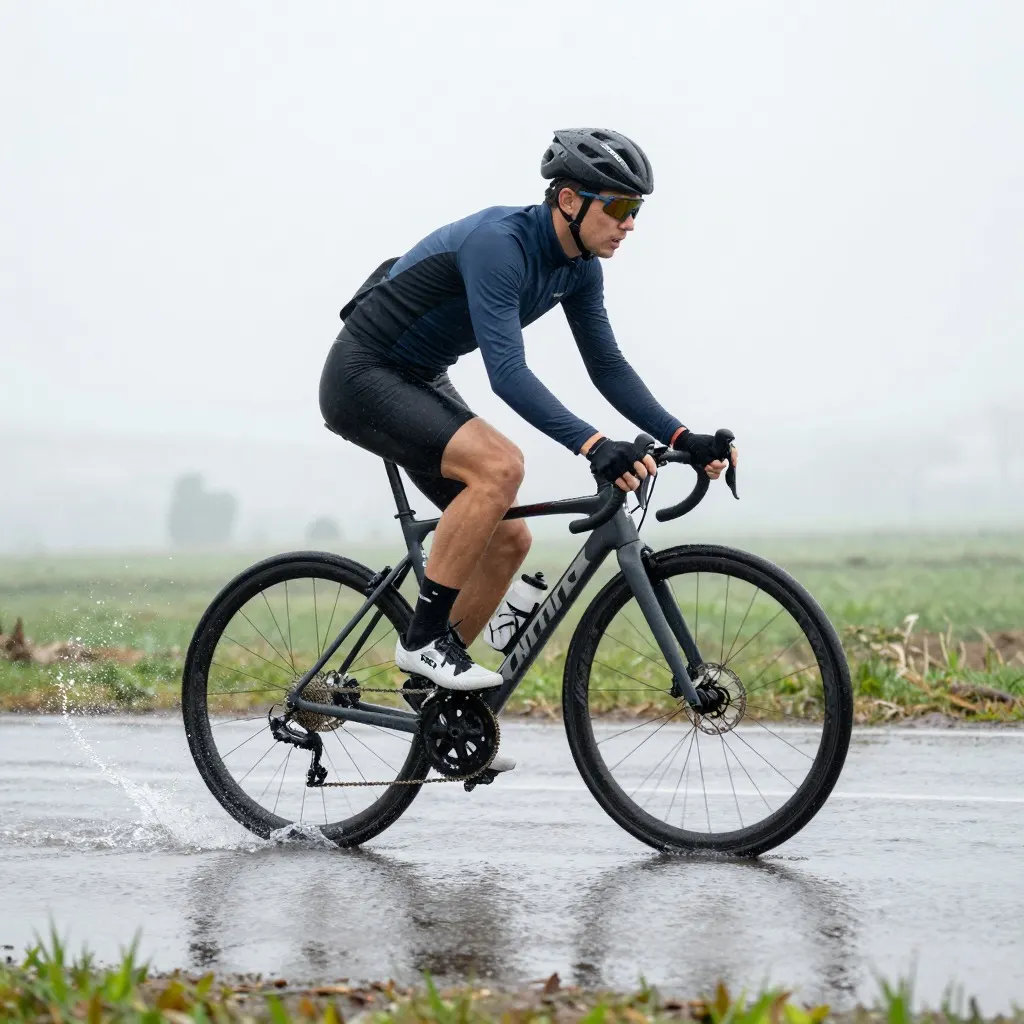
The cyclist, the wet road and the side view all arrived. The splash, which was the point, is barely there. Specific physical actions come out much weaker than nouns and adjectives.
A cyclist riding through a puddle, water frozen mid-splash, side view
Open a generator, type a sentence, press the button, wait. On our generator that wait is about ten seconds and there is no account, no credit counter and no watermark on what comes back. Other tools charge, or make you sign in, or mark the free tier. The mechanics are the same everywhere.
What you should not do on a first attempt is write a long prompt. Frame h1 above is the word "cat" and it is a perfectly good photograph. Starting short and adding one thing at a time tells you which of your words is doing the work, which is knowledge you keep.
The four things worth naming
Across the progression above, four kinds of detail changed the output more than anything else.
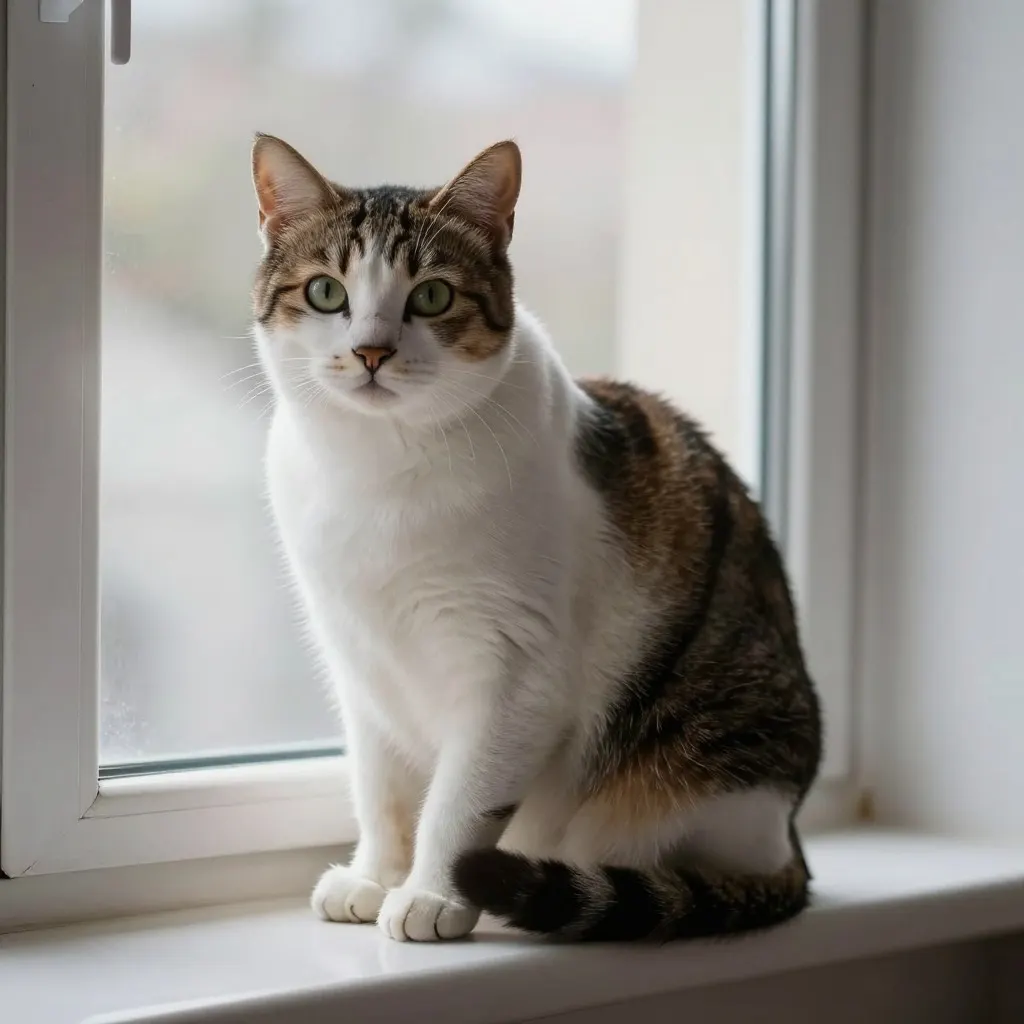
Subject, specifically. "Ginger cat asleep" is a different picture from "cat". Adjectives on the subject are the cheapest improvement available.
Where it is. A windowsill, a harbour, a kitchen. Place brings its own lighting and its own props, so one word buys a whole scene.
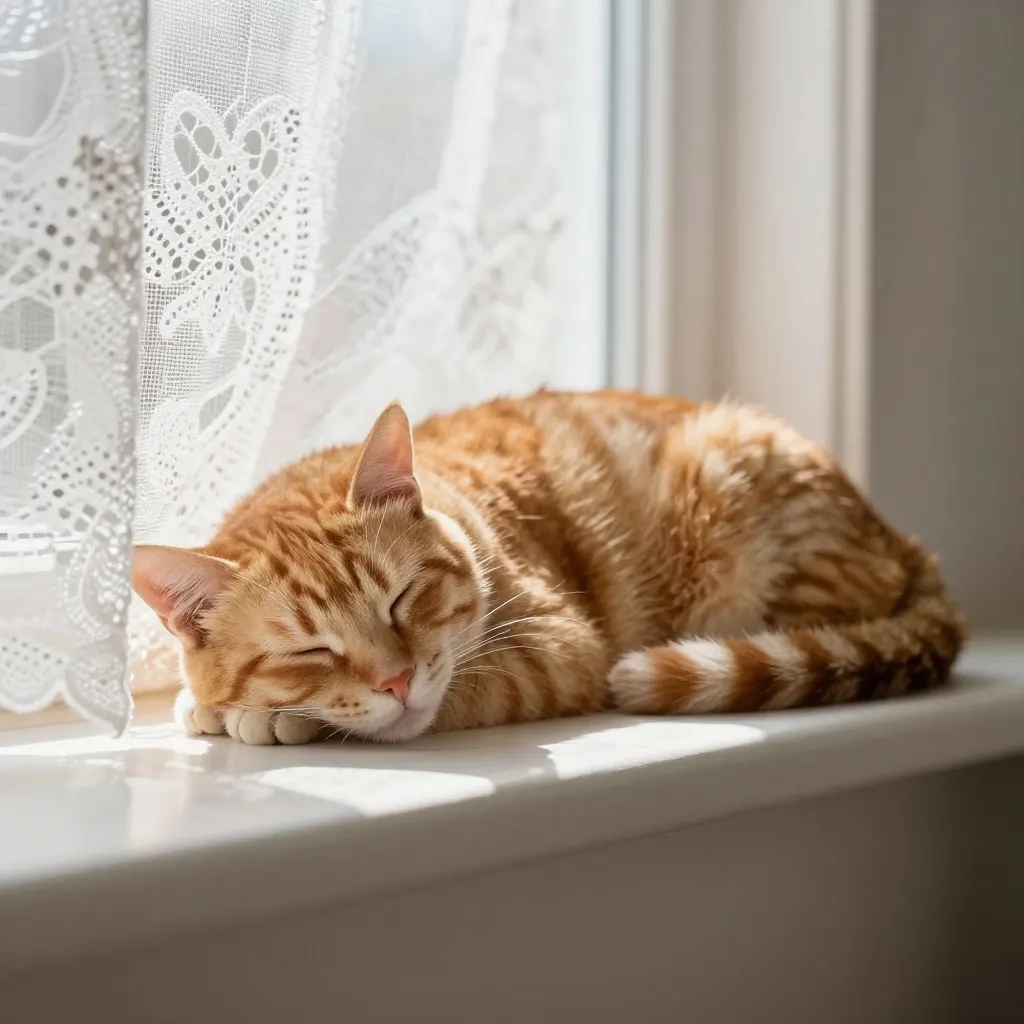
The light. Sunlit, overcast, backlit, lamp light. Models are unusually responsive to this, and it is most of the difference between a snapshot and a photograph.
What is in focus. "Shallow depth of field" put the curtain behind the cat out of focus in h3, and the result reads as intent rather than accident.
Counting. We asked for exactly five apples and got eight. There is no arithmetic in a diffusion model; a number in a prompt is a hint about the flavour of the picture rather than an instruction. If the count matters, generate several and pick, or crop.
Precise physical moments. The frozen splash in h6 did not happen. Verbs describing an instant, mid-jump, mid-pour, just before impact, come out much weaker than nouns describing a state.
Anything you told it to leave out. Negative phrasing is close to inert, which we tested across forty images. Describe what should be there instead.
Text no longer belongs on this list. Frame h4 spelled a three-word phrase and a name correctly. It is still not reliable enough to bet a logo on, but the blanket advice to avoid text is out of date.
When it looks wrong and you cannot say why
The most common complaint is not that the picture is broken. It is that it looks synthetic while being technically fine.
That feeling usually comes from three habits of the model rather than from your prompt: an even, sourceless light, faces and objects that are too symmetrical, and surfaces with no wear on them. Naming a specific light, asking for something imperfect, and putting the camera somewhere awkward all help. There are before-and-after pairs in what makes an AI photo look fake.
The other thing to check is size. Output here is 1024x1024 square, 1280x720 landscape and 720x1280 portrait. Fine on a screen, short of what a phone lock screen or an A4 print wants, so upscale before you use one that way.
What to do after the first one
Change one word and run it again. That is the whole learning loop, and on a free uncapped tool it costs nothing but the ten seconds.
Keep the prompts that worked. A prompt that produced a good result once will produce a different good result next time, and a small personal library beats any prompt pack you can buy.
When you want a category rather than a one-off, the prompt sets here each come with the image every prompt actually produced, so you can see what you are getting before you spend the ten seconds.
Start with the two-word one
This is frame h1, the entire prompt. Run it, add a place, then add the light, and watch what each word does.
Open a generator that does not require an account, type a description and wait. On this site it takes about ten seconds, with no sign-up, no credit system and no watermark on the download. A two-word prompt is enough to start with.
What should I write in the prompt?
Name the subject, where it is, what the light is doing and what should be in focus. Four short phrases covers most of the distance. Detail beyond that produces smaller and smaller changes.
Why did I get eight apples when I asked for five?
Because there is no counting step anywhere in image generation. A number influences the general look of the picture rather than the quantity of anything in it. Generate a few and pick the one that happens to be right, or crop to the count you need.
Can AI put text in an image now?
Short, common phrases often work. We asked for a card reading "Happy Birthday Marcus" in gold script and got exactly that, correctly spelled. Reliability drops as the text gets longer or smaller, so for a logo or a sign, generate the graphic and set the words yourself in a real font.
What size do the images come out at?
1024x1024 for square, 1280x720 for landscape, 720x1280 for portrait, plus two 4:3 ratios. Downloads are the full file with no watermark. That is below a modern phone screen or a print, so upscale first if you are heading that way.