How to write AI image prompts: one added word beats a rewrite
Four scenes, three versions each: bare, one word added, and a thirty-word rewrite. The one word does most of the work.
Experimentprompting·FreeImgGen Team·Updated ·Tested on Z-Image Turbo
The short answer
How to write AI image prompts, in one rule: add a word rather than rewriting. A long prompt full of camera bodies, lens lengths and quality words is mostly wasted effort. In twelve images across four scenes, adding one well-chosen word to a bare prompt moved the result about as far as replacing it with a thirty-word rewrite. The words that pay are the ones that name a condition the model can picture: a time of day, a weather state, a light direction.
MethodFour scenes, three prompts each, one generation per prompt, Z-Image Turbo, 2026-08-12. Nothing re-rolled. Within a scene the only thing that changes is the prompt, shown in full under each frame.
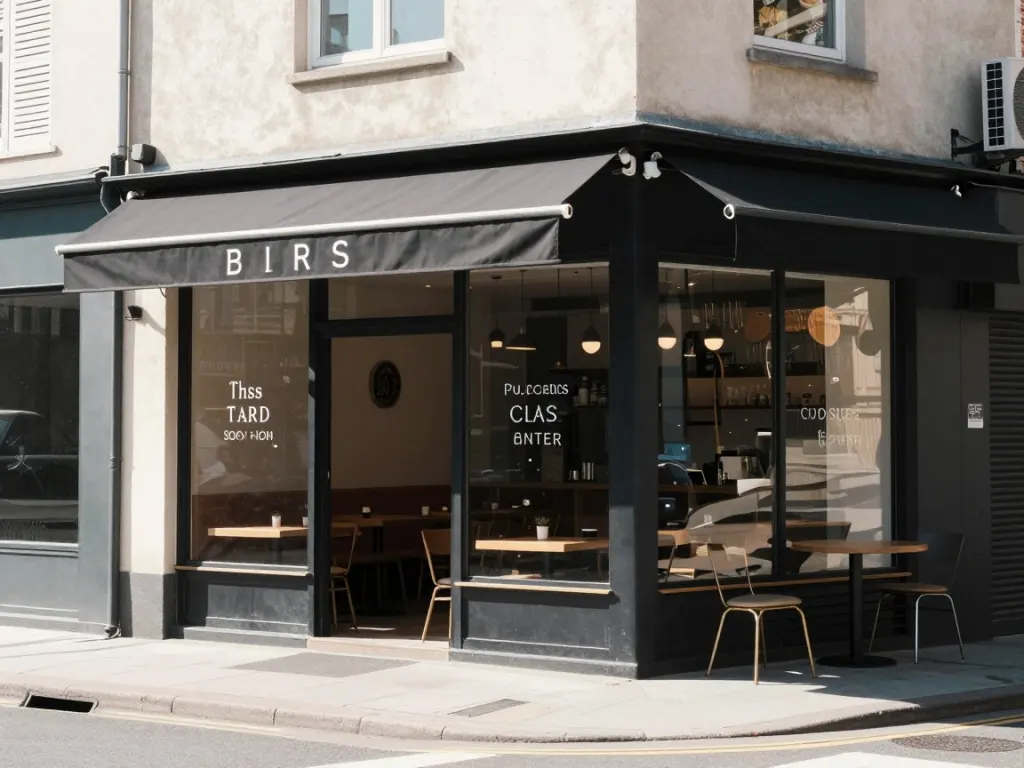
scene 1 · bare
Flat midday light, nothing chosen. Look at the awning and the window lettering: this is where small background text still falls apart.
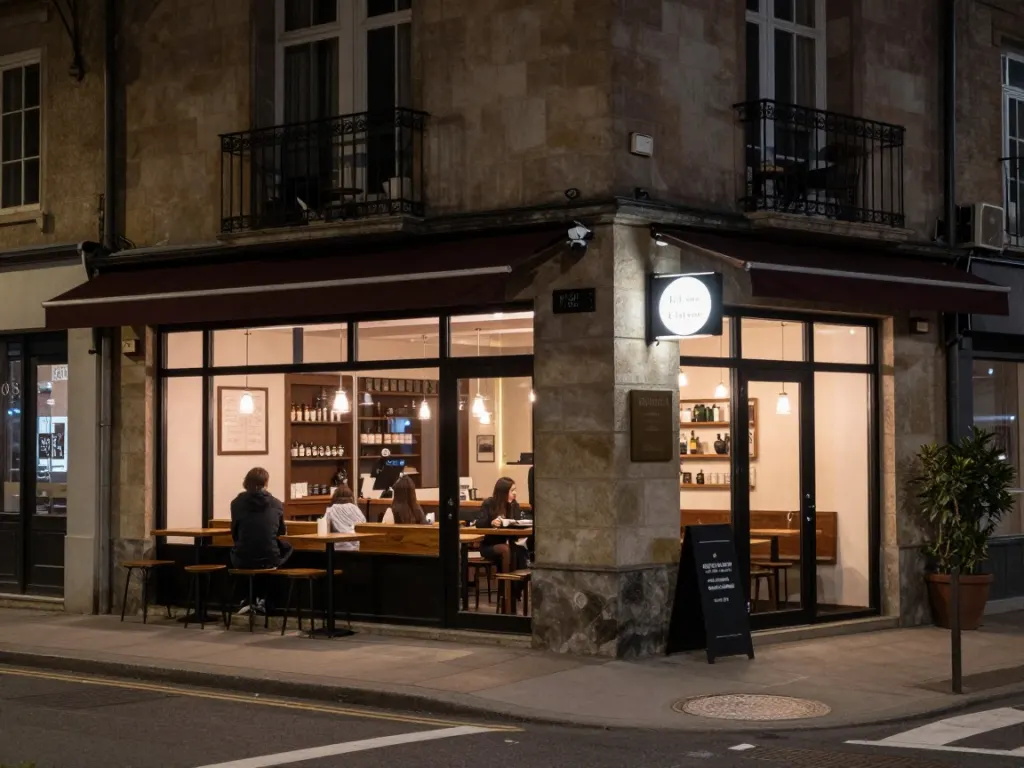
Two words added. The light source moved indoors, the palette changed, people appeared at the counter, and the whole thing now has a mood it did not have.
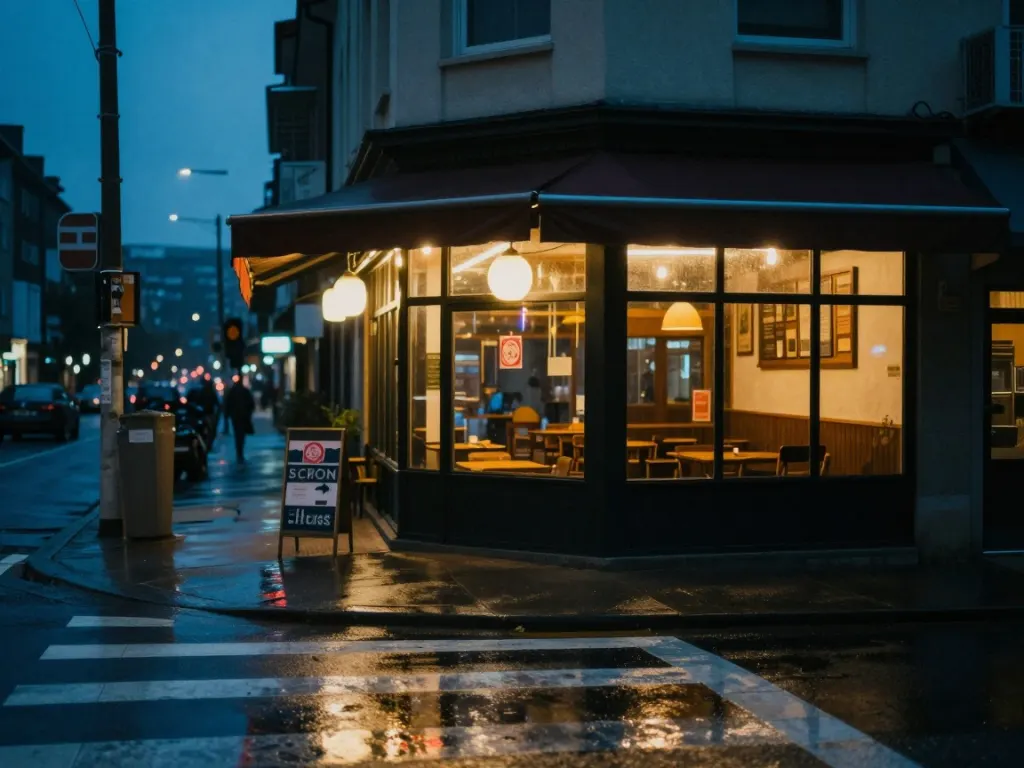
Twenty-eight more words bought the wet pavement and a cooler sky. Real, but not proportional to the effort, and "35mm" and "cinematic" are doing nothing you can point at.
A corner café photographed from across the street, wet pavement, neon reflections, blue hour, 35mm, shallow depth of field, moody atmosphere, cinematic
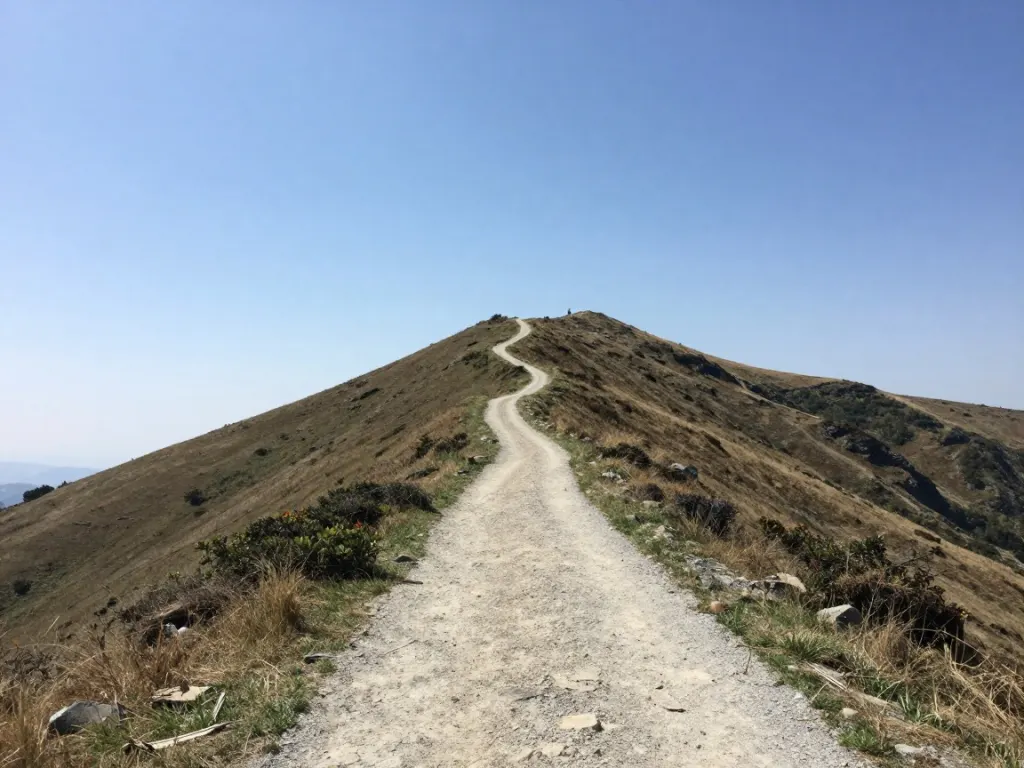
A different composition rather than a better one. Set it beside the two-word version and try to say which is the more expensive picture.
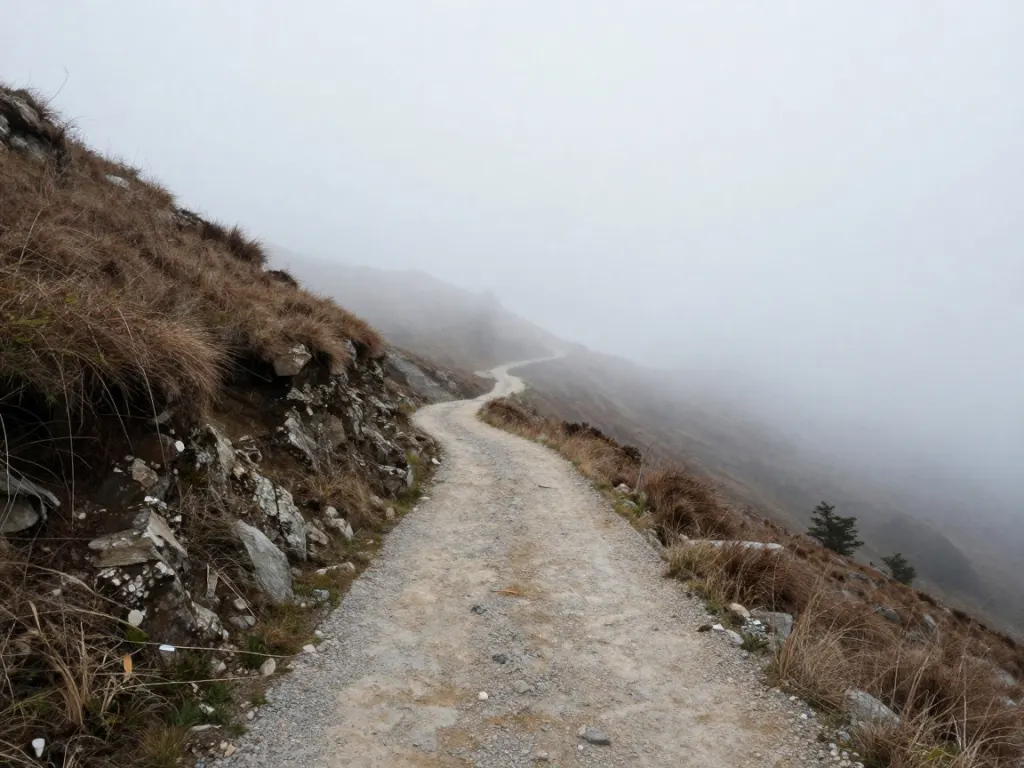
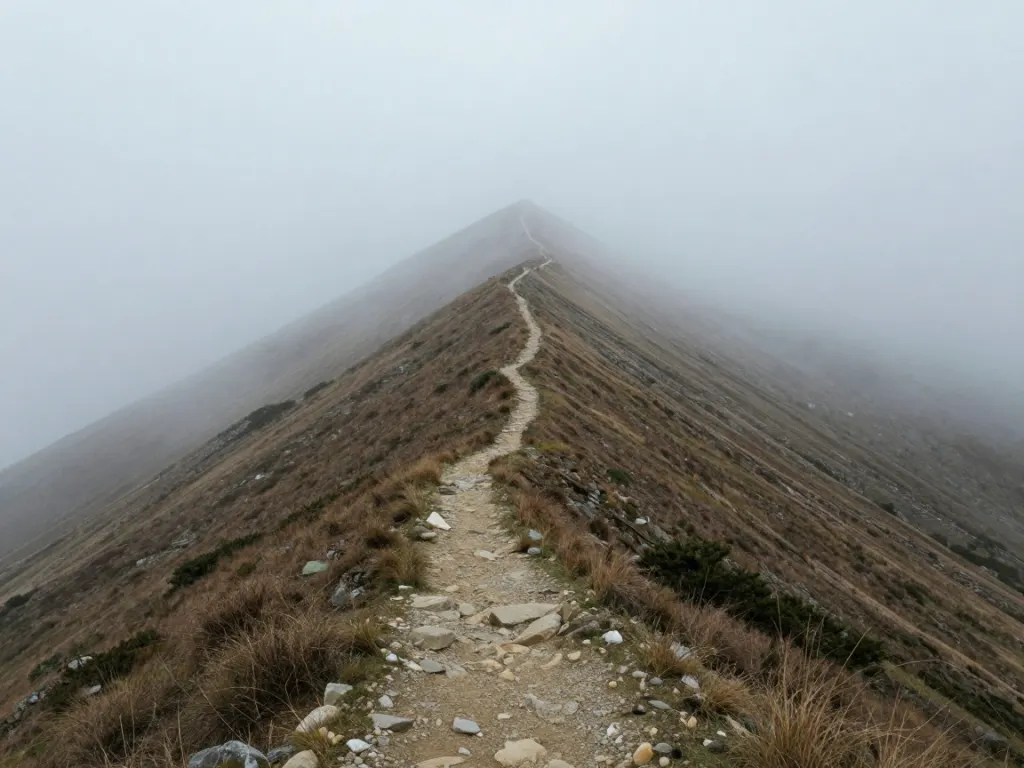
A narrow mountain path winding up a steep slope, thick fog rolling across the ridge, muted colours, atmospheric perspective, landscape photography, moody
Four scenes: a café, a woman in a kitchen, a mountain path, a desk. Each was run three ways. First the bare noun phrase. Then the same phrase with a single condition added, two words at most. Then a rewrite in the house style of every prompt guide on the internet: camera format, depth of field, a mood word, and a closing "cinematic" or "professional photography".
Twelve images, one generation each, nothing re-rolled. Six of them are above; the pattern in the other two scenes was the same.
We are not measuring quality here, because quality is a matter of taste and we would be marking our own homework. We are measuring distance: how far each version moved from the bare original. On that, the one-word version and the rewrite are comparable, and the rewrite costs twenty-eight more words.
Which words actually pay
The additions that moved the image all named a condition the model can picture.
"At night" and "in fog" are conditions. They imply a light source, a palette, a set of things that would and would not be visible. The model has seen millions of examples of each, consistently labelled.
"Cinematic", "masterpiece", "highly detailed", "8k" are not conditions. They are opinions about a picture, and they appear in captions attached to every kind of image, so they pull in no particular direction. That is why removing them costs you nothing.
The test before you add a word: could a photographer follow it? "Shoot this at night" is an instruction. "Make it cinematic" is a note you would have to ask three questions about. The first kind works.
Where the rewrite did earn its keep
It would be dishonest to say the long prompts did nothing.
In scene 1, the rewrite is the only version with wet pavement and reflections, because it asked for them. That is a real gain, and it came from the descriptive clauses, not from "35mm" or "cinematic".
So the useful version of the advice is not "keep prompts short". It is that every clause should add a thing you could photograph. A thirty-word prompt made entirely of nameable conditions is fine. A thirty-word prompt that is six conditions and four compliments is a six-word prompt with padding.
The one place long prompts actively hurt
Adding more clauses dilutes the ones already there. Everything you write competes for the same attention, so the tenth adjective makes the first one weaker.
We saw this most clearly in the kitchen scene, where the bare prompt and the one-word version both put the woman in the frame prominently and the rewrite, busy with lighting terminology, pushed her smaller in a wider shot. Nothing in that prompt asked for a wider shot.
If a detail matters, it is better to have five words with that detail in them than thirty with it buried in the middle.
How to use this
Write the bare noun phrase. Generate it. Then add one condition and generate again. You now know exactly what that word does, on this model, for this subject, which no prompt guide can tell you.
Repeat until the picture stops improving, which usually happens around the fourth addition. That is the same place the first-image walkthrough lands, from a different direction.
The reason this loop is worth running is that it is free here. Twelve generations for this piece cost us about two minutes of GPU time and nothing else, and the same is true when you do it.
Run the two-word version
The bare prompt from scene 3 is below. Generate it, add "in fog", and compare what two words did.
Start with the plain subject, then add conditions a photographer could act on: a time of day, a weather state, a light direction, what is in focus. Four short additions covers most of the distance. Quality words like "cinematic" or "8k" change very little.
Do long prompts produce better images?
Not reliably. In our twelve-image run, a two-word addition moved the result about as far as a thirty-word rewrite. Long prompts help when the extra clauses each name something visible, and hurt when they are padding, because everything you write competes for the same attention.
Do words like "8k", "masterpiece" and "cinematic" do anything?
Very little that you can point at. They appear as captions on every kind of image in training data, so they do not pull the result in a particular direction. The words that work name a condition the model can picture instead of an opinion about the picture.
What is the fastest way to improve a prompt?
Change one word and run it again, rather than rewriting the whole thing. That tells you what that word does on this model, and it is the only way to build prompt intuition that transfers. On a free uncapped generator the loop costs nothing.